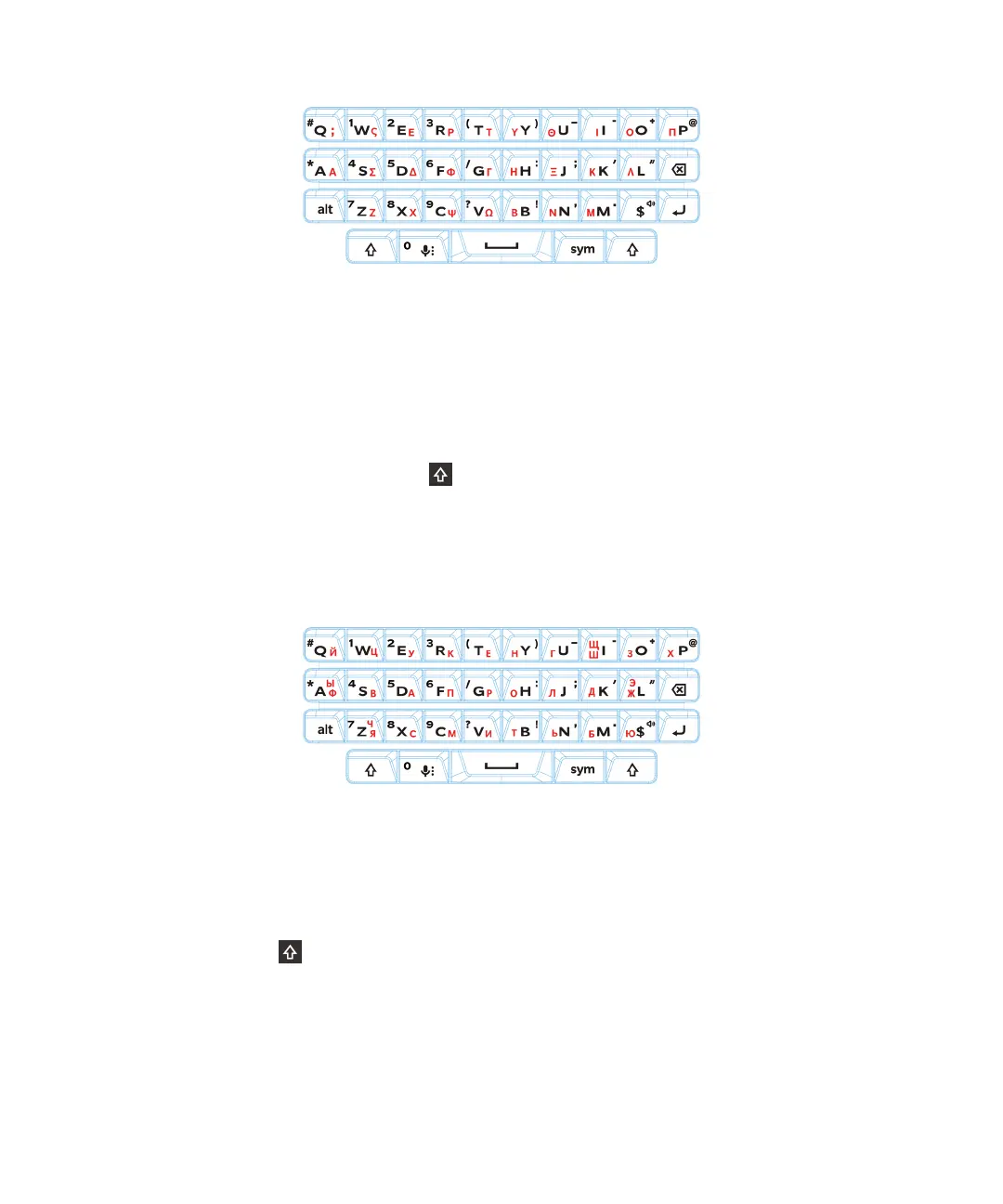
Typing in Russian
The Russian keyboard and language supports word prediction and the flick feature, which allows you to flick word
suggestions up onto the screen (if you have this feature turned on).
To access more Cyrillic characters on the Russian keyboard layout, you can use one of the following methods:
•
To type an uppercase character, you can press , and then press a letter.
• Alternate characters are available for A, I, L, N, and Z. To type an alternate character, you can double-press the primary
character.
• To type an accented version of a character, you can press and hold the primary character, and then select the accented
character.
The following image shows the slider keyboard in Russian:
Typing in Hebrew
The Hebrew keyboard supports word prediction and the
flick feature, which allows you to flick word suggestions up onto
the screen (if you have this feature turned on). The Hebrew keyboard also allows you to type alternate characters two
dierent ways. You can press , and then press a letter, or you can press and hold the primary character and then select
the alternate character from the options.
The following image shows the slider keyboard in Hebrew::
User Guide Keyboard, language, and typing
40














 To Next Page