USER
MANUAL
18
NOTIFICATIONS
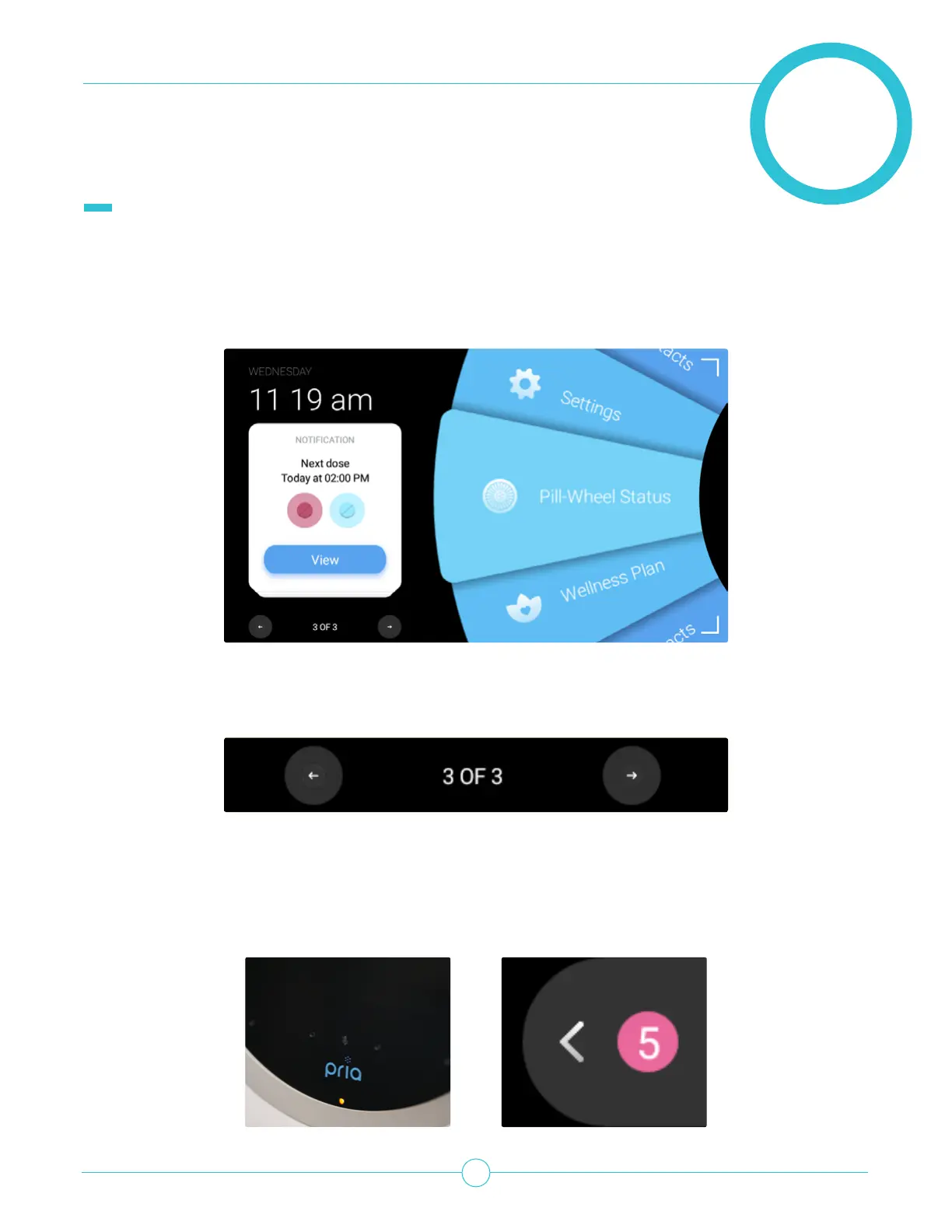
Notication cards show information about your Pill Wheel status, when your next dose is due to be
dispensed, missed doses, Check-ins or missed calls from Pria Contacts.
You can view more details about a notication by tapping View.
Use the arrow buttons to move through your notications.
Pria has a LED at the bottom of the screen that will ash Yellow when there are notications. The
notication tab indicates the “immediate” notications, Remember, less important ones (i.e. next dose) do
not increase the counter. Additionally, when you wake Pria up, a notication tab will appear on the top right
of the screen with the amount of unread notications. Tap the notication tab to view the notications.


 To Next Page