44
PRIA USER MANUAL
YOUR WELLNESS PLAN
Marking Meds as Taken
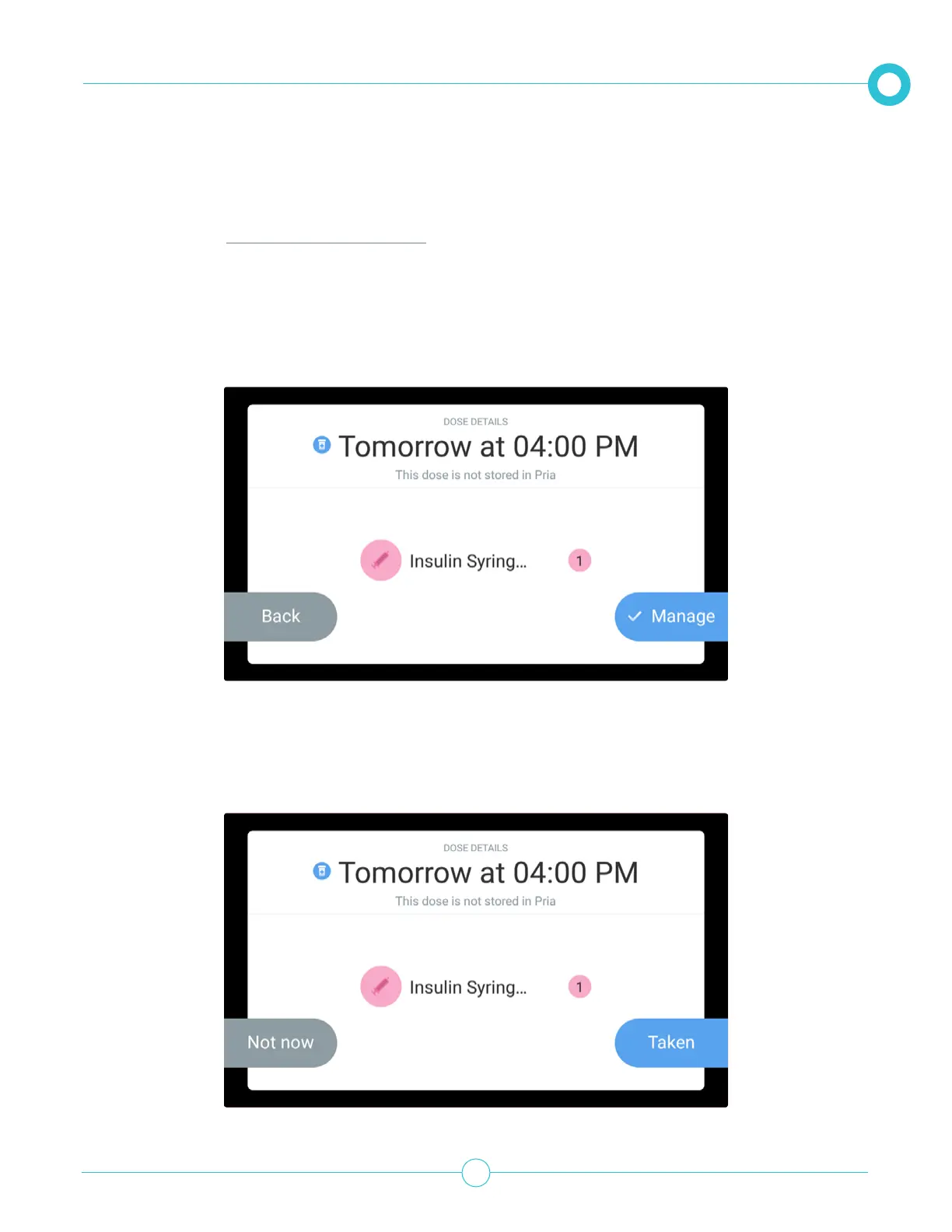
Only meds that are not physically stored in Pria can be marked as Taken.
Note: For your security facial recognition or your pin code is required to mark meds as Taken.
1. From the Wellness Plan screen, locate and tap the medication or group of meds that you want to
dispense.
2. Tap Manage.
3. Let Pria recognize your face or enter in your pin code.
4. Tap Taken to mark the meds as taken.


 To Next Page