58
Pria’s facial recognition feature is not 100% accurate. If someone in your
household looks very similar to you (such as a child or sibling), you may choose
not to use facial recognition and only use a PIN number to dispense your
medications.
If you have already setup your Pria Device with facial recognition and want to
disable the feature, you will need to perform a factory reset (see Performing a
Factory Reset in this guide).
Choose Skip when asked to setup facial recognition. You can always setup this
feature at a later stage (see Setting Up / Changing Face Recognition).
CAUTION
PRIA USER MANUAL
SETTINGS
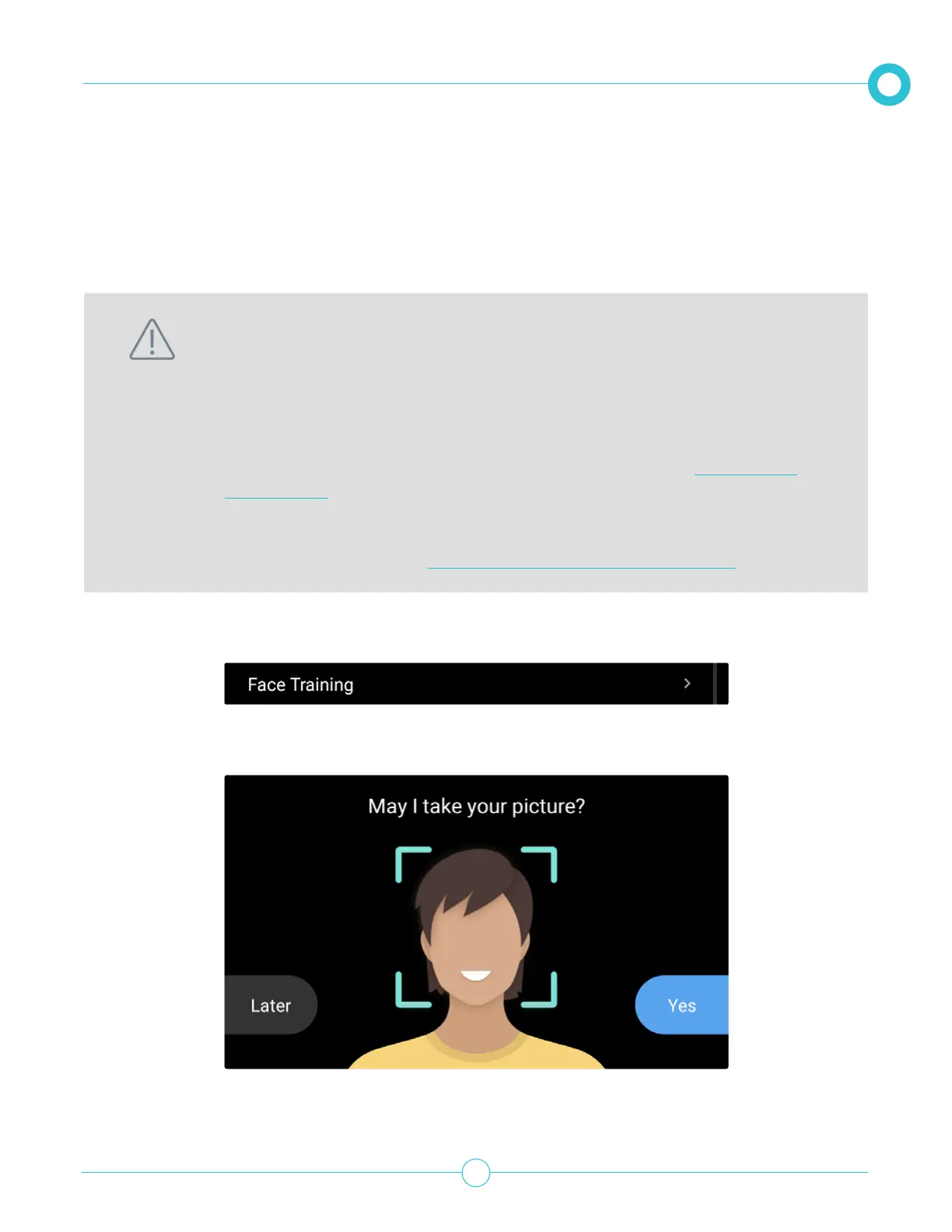
1. From the Settings option, scroll down and tap Face Training.
2. Follow the on-screen instructions.
Setting Up / Changing Face Recognition
Pria uses face recognition as a secure method for dispensing your medication. If Pria does not recognize
your face, a passcode must be entered for the medication to be dispensed.
Please note, facial recognition will not be used while Pria is running on battery power or disconnected from
WiFi. If facial recognition was never congured, the user needs to enable a pin code to verify the identity.


 To Next Page