36
PRIA USER MANUAL
VIEWING YOUR PILL WHEEL STATUS
Unloading a Single Bin
Note: For your security facial recognition or your pin code is required to perform unloading.
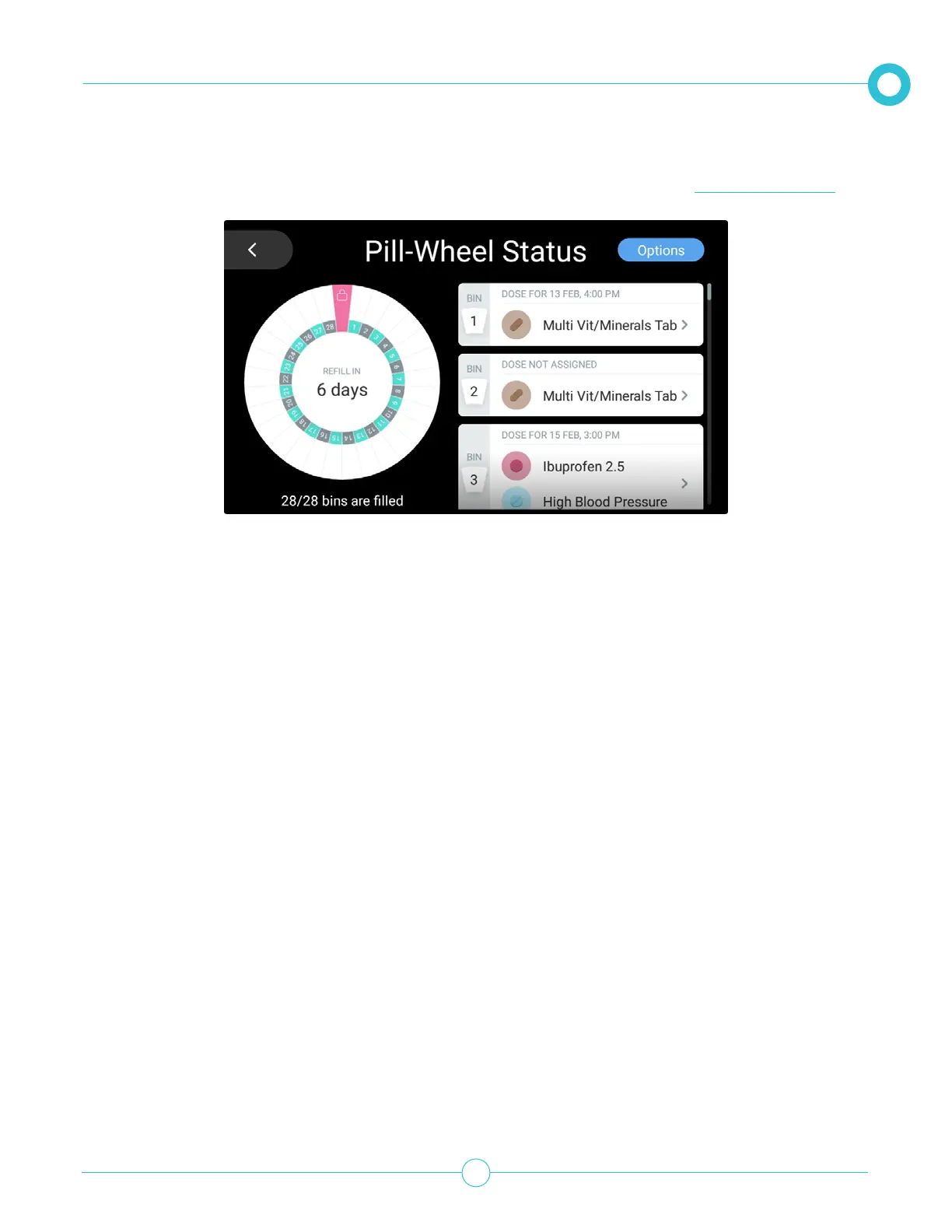
You can empty a single bin by doing the following:
1. On the right side scroll through the list and tap the bin you want to empty.
2. Tap Empty.
3. Let Pria recognize your face or enter in your pin code.
4. The bin will be unloaded.
The Options button allows you to clear all Pill Wheel bins and load medication. See Pill Wheel Options.


 To Next Page