CN-11
SECTION6
OPERATIONALOVERVIEW
6.1MAINPOINTSOFOPERATION
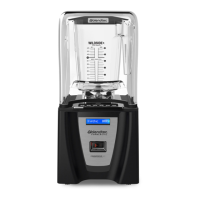
1. Turn on the main power switch located on the front of the blender motor.
2. Place the blender jar on the base, making sure the jar is secure. Attach the
blender lid.
3. Press the desired touch pad button once. You may press any button on the lower
row to stop the cycle.
4. When cycle is complete, remove the blender jar and serve.
6.2AUTOMATICCYCLEOPERATION
The Blendtec Connoisseur has blending cycles for ice cream, frozen yogurt, ice
crushing, milkshakes, soups, syrups, fondues, sauces, dips, dressings, batters, whole
juice, and smoothies. These cycles have variable speed settings that will change
during the course of the cycle. This allows the blender to draw the contents into the
blending vortex, which creates the desired texture. The blender will run its pre-pro-
grammed cycle and automatically shut off. If at any point you want to stop the blender
before it has completed its cycle, press any lower row button.
Note: The speed buttons allow you to control the blender to operate up to 10 speed
settings. Simply press the speed up button and the motor will begin. Continue press-
ing the Speed Up key to increase the speed, or press the Speed Down key at any time
to decrease speed. Once you have reached the desired speed, release the button.
Once you press a speed button, the blender will begin to run the selected speed, then
shut off after 50 seconds. To stop the cycle before the 50 seconds, press any button
on the lower row.









 To Next Page