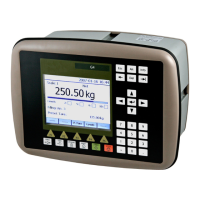
G5 Weighing Instrument
3-1
3. Set-up
General
All operating functions in the G5 Instrument are controlled by parameters. The
parameter values are permanently stored in the instrument and will not be lost when
the unit is switched off. At delivery the parameters are factory-set to default values,
giving the instrument an initial standard function.
The actual setting of the parameter values can be read and edited during normal
measuring operation in sub menu ‘Parameter Set-up’. Editing of parameter values can
be performed using the color display and keys on the front panel of the instrument or
by using a Web Browser on a PC connected on the same network as the instrument.
After editing hardware parameters the instrument will be restarted.
In the instrument there are two levels of security locks provided to protect from
unauthorized access to instrument functions and editing of parameters and values. The
locks are opened by four-digit codes.
Fieldbus related parameters
On the following pages a survey of fieldbus related parameters is presented. The
parameters are divided in groups following the menu they belong to. For choice
parameters the available choices are given. For numerical parameters, a value range is
given.
At the end of the table, the default value is given in < >.
To the right there is a short parameter explanation and, in italic, the results for
the different alternatives.
Range/Alternatives Explanation and
<default value> result of alternatives.
Menu Hardware Configuration
Fieldbus Module
None
Profibus
DeviceNet
ControlNet
EtherNet/IP
< None >
Available Fieldbus choices.
When this set-up is changed the instrument will be restarted.
The user must confirm that the instrument is restarted. If the set-
up does not match the installed module the instrument will start
up in error state. After the mismatch is corrected and the
instrument is restarted the instrument will be operational again.
Menu Fieldbus
Note: The Fieldbus menu is not shown if parameter Fieldbus (in
Hardware Configuration menu) is set to None.
Profibus, Address
Range 1 - 125
< 126 >
Profibus address setting.
Note: This parameter is only shown if parameter Fieldbus (in
Hardware Configuration menu) is set to Profibus.


 To Next Page