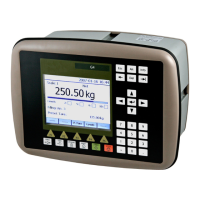
G5 Weighing Instrument
5-9
Clock
These bytes are used to read the time and date from the instrument.
Year is given in 2 bytes while month (1 – 12), day (1 – 31), hour (0 – 23), minute (0 –
59) and second (0 – 59) is one byte each.
Number format
Byte order
The byte order in multi byte values (more than one byte) is depending on the type of
fieldbus used.
Profibus DP: MSB first (Most Significant Byte first).
DeviceNet: MSB first.
ControlNet: MSB first.
EtherNet/IP: LSB first (Least Significant Byte first).
Scaled integer
Values stored in a 4 byte integer value (with sign). The number of decimals is either
fixed for some values or depends on the resolution set-up.
Example: 12345678 (32 bit number) with 3 decimals: 12345.678.
Floating point
Float numbers (numbers with decimals) is in IEEE floating point format.
Examples
Example 1: Setting ‘Level 2 Value’ to 123.5.
1. Make sure that the previous command was not 221.
Set command to 0 if the previous command was 221.
2. Set parameter ID to 2 (bytes 2 - 3).
3. Set the Data to Write (bytes 4 – 7) to the value to write (123.5).
4. Set the Command to 221(bytes 0 – 1).


 To Next Page