Page 11
LB-Hex User Manual Rev. B © 2017 Blizzard Lighting, LLC
4. OPERATING ADJUSTMENTS
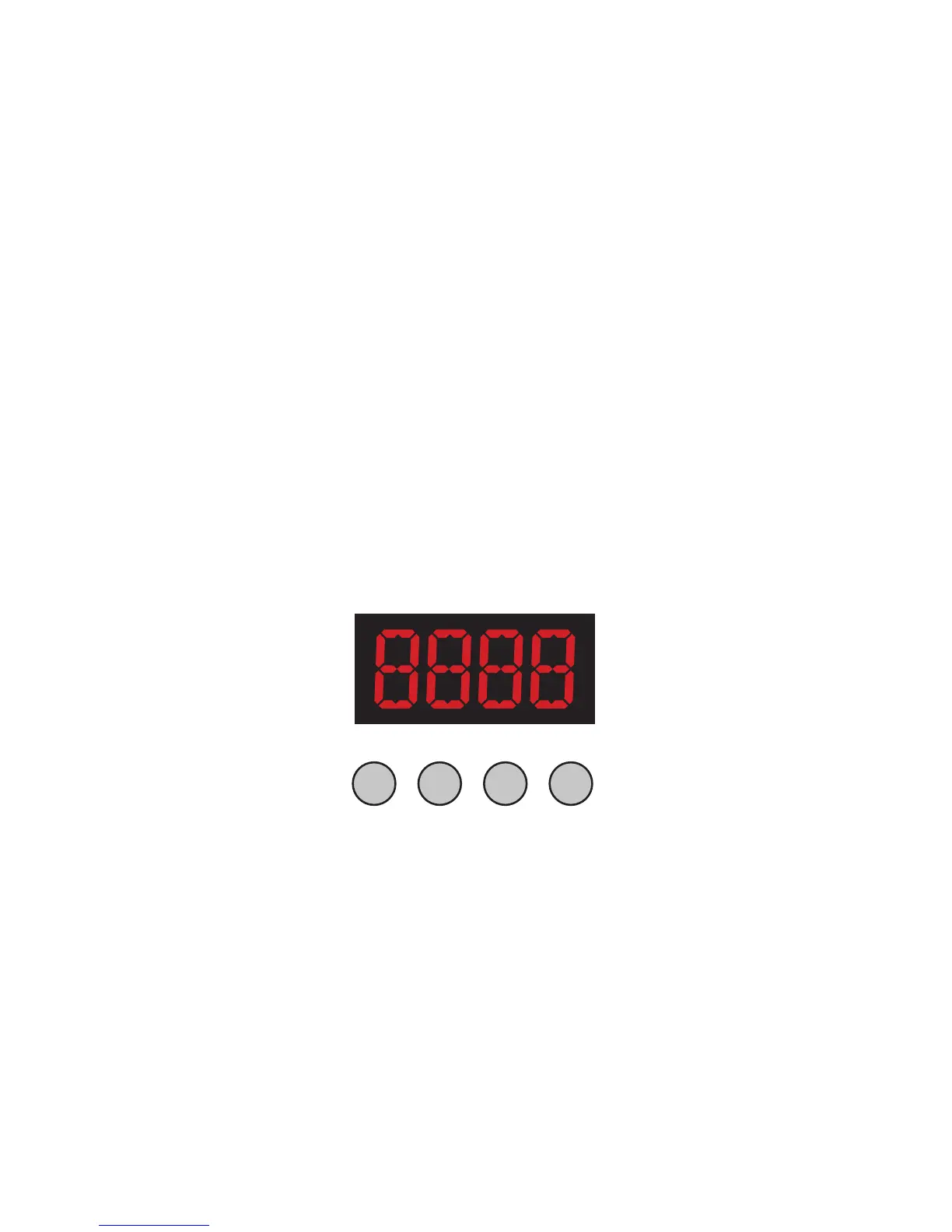
The Control Panel
All the goodies and different modes possible with the LB Hex™ are ac-
cessedbyusingthecontrolpanelontherearofthexture.Thereare
4controlbuttonsbelowtheLEDdisplaywhichallowyoutonavigate
through the various control panel menus.
<MENU>
Is used to navigate to the previous higher-level menu item.
<ENTER>
Isusedtoselectandconrm/storethecurrentselection.
<UP>
Scrolls through menu items and numbers in ascending order.
<DOWN>
Scrolls through menu items and numbers in descending order.
ThecontrolpanelLEDdisplayshowsthemenuitemsyouselectfrom
the menu map on page #12. When a menu function is selected, the
displaywillshowimmediatelytherstavailableoptionfortheselected
menu function. To select a menu item, press <ENTER>.
Use the <UP> and <DOWN> buttons to navigate the menu options.
Press the <ENTER> button to select the menu function currently dis-
played, or to enable a menu option. To return to the previous option or
menu without changing the value, press the <MENU> button.
MENU UP DOWNENTER



 To Next Page