Page 12
LB-Hex User Manual Rev. B © 2017 Blizzard Lighting, LLC
Control Panel Menu Structure
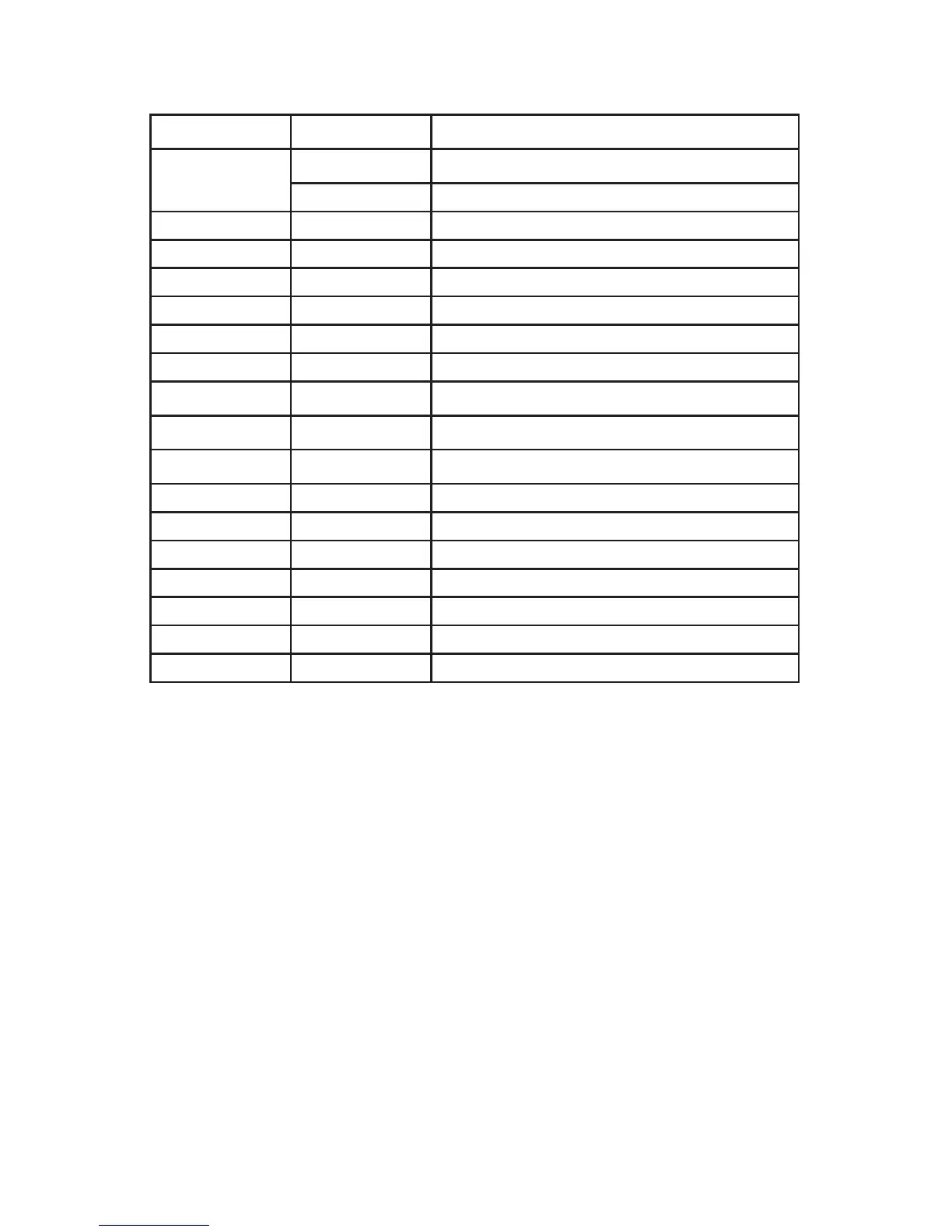
Addr
1-512 To choose the DMX address
CHNL
CH-1 6-channel DMX mode
CH-2 11-channel DMX mode
SP-- 0-99 Speedadjustments(0-99)
Pr-- 1-13 Built-in programs (1-13)
SOUN <ENTER> Sound active mode
CoLo 0-63 Built-in colors
Strb 0-20 Flash / strobe speed
rL-- 000 - 255 Red intensity (0% <--> 100%)
GL-- 000 - 255 Green intensity (0% <--> 100%)
bL--
000 - 255 Blue intensity (0% <--> 100%)
AL--
000 - 255 Amber intensity (0% <--> 100%)
uL-- 000 - 255 White intensity (0% <--> 100%)
UL-- 000 - 255 UV intensity (0% <--> 100%)
LEd on-off Display menu on/off
nodE 0-4 Dimming speed (fast <-->slow)
TEnP <ENTER> CheckLEDboardtemperature
UErn <ENTER> Software version
rSEt yes-no Restore factory settings
DMX Mode
Allows the unit to be controlled by any universal DMX controller.
Set the Starting DMX Address:
ThedefaultmodeforthextureisDMX,sotherstmenuitemthatyoucaneditisthestarting
DMX address.
1.) Navigate the main menu until you reach Addr, and press <ENTER>.
2.) Use the <UP/DOWN> buttons to select a DMX channel from 001-512.
3.) Press the <ENTER>buttontoconrm.
Select the DMX Channel Mode:
1.) Navigate the main menu until you reach CHNL, and press <ENTER>.
2.) Use the <UP/DOWN> buttons to select either 1-CH (6-ch) or 2-CH (11-ch) mode.
3.) Press the <ENTER>buttontoconrm.
Slave Mode:SetslavexturestoDMXmode.Theywillautomaticallyfollowthemasterxture
(rstxtureintheDMXchain).
Built-in Programs & Speed Control
1.) Navigate the main menu until you reach Pr--, and press <ENTER>.
2.) Use the <UP/DOWN> buttons to choose any of its built-in programs from 1-13.
3.) Press the <ENTER>buttontoconrmyourchoice.
4.)Youcanthenadjustthespeedoftheprogram.



 To Next Page