35
Power Rake Operation and Maintenance Manual
Maintenance
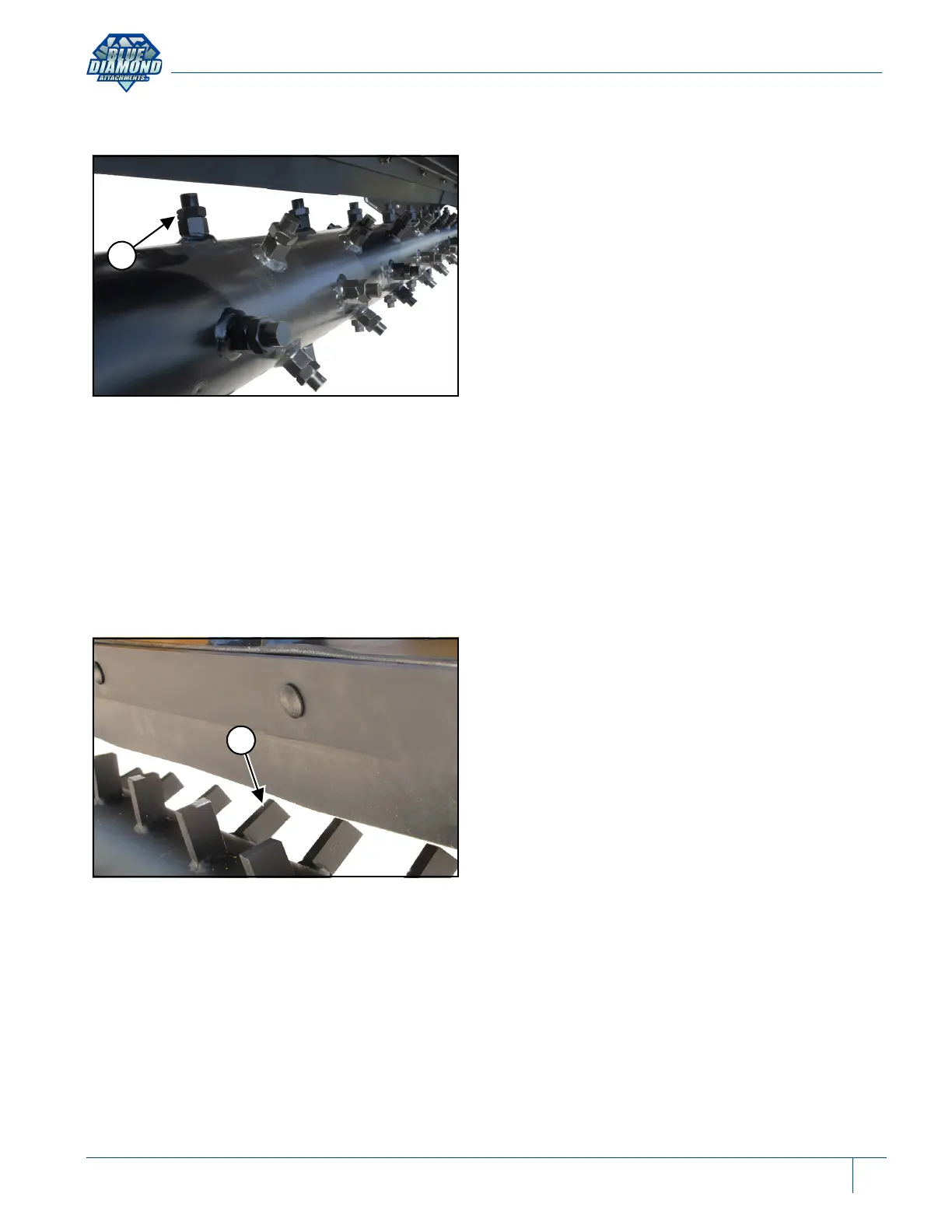
Rotor Teeth (Replaceable)
Figure 18
Loosen the jam nut (Item 1) [Figure 18] on the
damaged tooth, turn the tooth counterclockwise
and remove.
Install the new tooth by turning clockwise until fully
installed into the holder, tighten the jam nut.
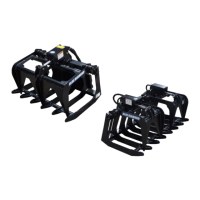
Rotor Teeth (Fixed)
Figure 19
The fixed tooth rotor (Item 1) [Figure 19] is also
offered for the power rake.
NOTE: If a tooth is damaged and needs to be
replaced, cut and remove the damaged
tooth and weld on the new tooth.


 To Next Page