30
Power Rake Operation and Maintenance Manual
Maintenance
Material Bar
Material Bar Adjustment / Replacement
AVOID SERIOUS INJURY OR DEATH
Before servicing the Power Rake:
• Lower the machine’s lift arms and place
the power rake on flat, level surface.
• Engage parking brake, stop engine,
remove the key and exit the machine.
• Disconnect attachment hydraulic hoses.
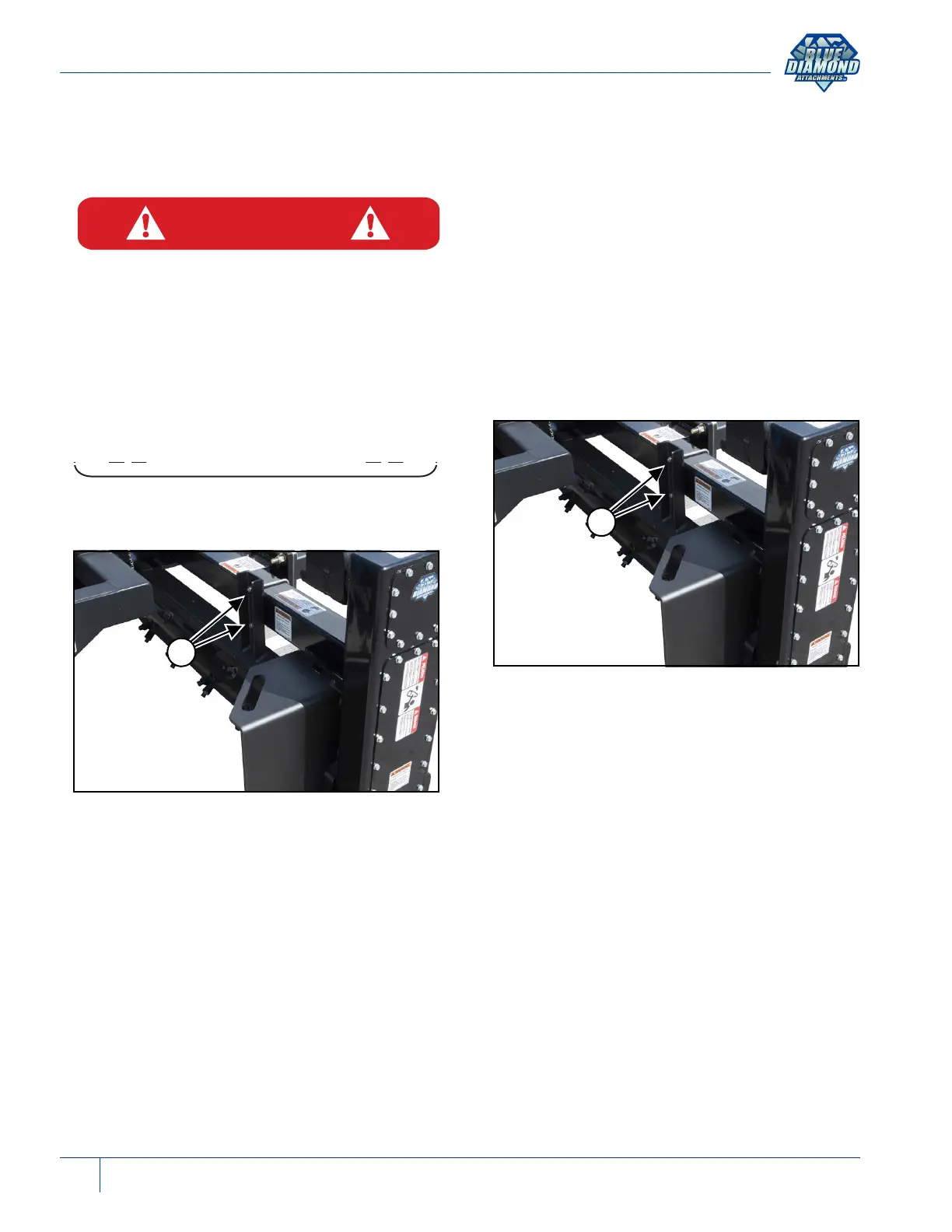
Material Bar Adjustment
Figure 8
To adjust the material bar, loosen both nuts (Item
1) [Figure 8] (both sides) and adjust either up or
down.
Adjusting the material bar up will let more material
pass through the power rake and adjusting the
material bar down will hold back material like
rocks and debris.
NOTE: When adjusting the material bar make
sure the material bar is level.
NOTE: A normal setting is a 1” (25 mm) gap
between the rotor teeth and the material
bar.
A wider opening will allow more dirt and rock to
pass through “Soil Conditioning” allowing wet soil
to dry for final raking. For finer raking, adjust the
material bar down. Be careful not to let rotor teeth
contact the material bar.
Material Bar Removal / Installation
Figure 9
Remove the nuts, washers and U-bolts (Item 1)
[Figure 9] from the material bar (both sides).
Remove material bar.
Align material bar mounts (both sides) with the
holes in the power rakes frame.
Install U-bolts, washers and nuts.
NOTE: Verify that material bar is level and
adjusted to desired gap, then tighten
bolts.


 To Next Page