1
7
Bidirectional
Description: Bidirectional means that the microphone picks up
sound at the front and rear of the microphone, while the sounds to
the sides are “rejected”, or not picked up. The bidirectional setting
is very useful in achieving a nuanced, pleasant sound when record-
ing musical instruments, and is perfect for recording an interview
with two or more guests. By placing the microphone between two or
more subjects (front of microphone facing one source, rear of micro-
phone facing another), you can achieve a natural sound without the
complexity of using multiple microphones.
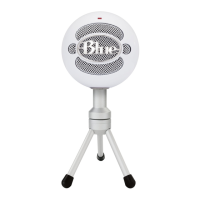
Above all, feel free to experiment with Yeti’s advanced capabilities
to nd your favorite sound. For more tips on getting the most out of
your Yeti, as well as more information on general recording techniques,
be sure to check out the Yeti on Blue’s website, www.bluemic.com/Yeti.
These charts are only a starting point for the sound provided. How the microphone reacts in a particular
application will differ greatly because of many variables, like room acoustics, distance from sound source
(proximity), tuning of instruments, mic cabling and other factors. For more tips on miking and recording
techniques, check out the Blue website.
Tips, Tricks, FAQ’s and More!


 To Next Page