4 Getting Started
12
2
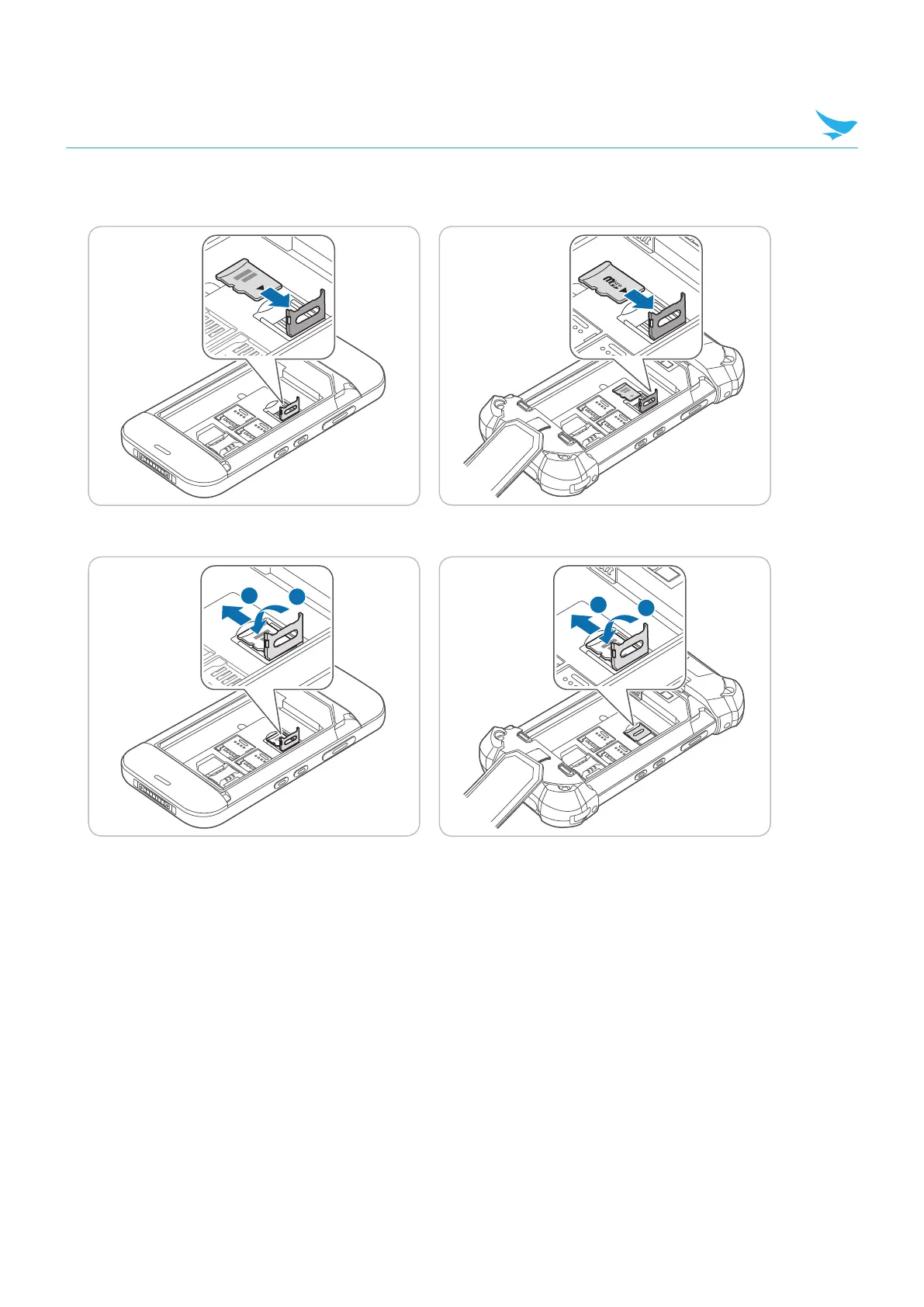
Insert a micro SD card into the slot, aligning the card with the slot. Make sure that the gold contacts on the
card are facing down.
3
Lift down the fasteners and slide it to left for locking the slot.
4.1.2 Removing the Cards
To remove the SAM card
1
Push the inserted card once.
The SAM card will release with a click sound.
2
Pull the card out to remove it.
To remove the micro SD and SIM cards
1
Slide the fasteners to unlock them.
2
Lift up the fasteners to open them.
3
Remove the cards and lift down the fasteners.
4
Slide the fasteners to lock them.


 To Next Page