4 Getting Started
15
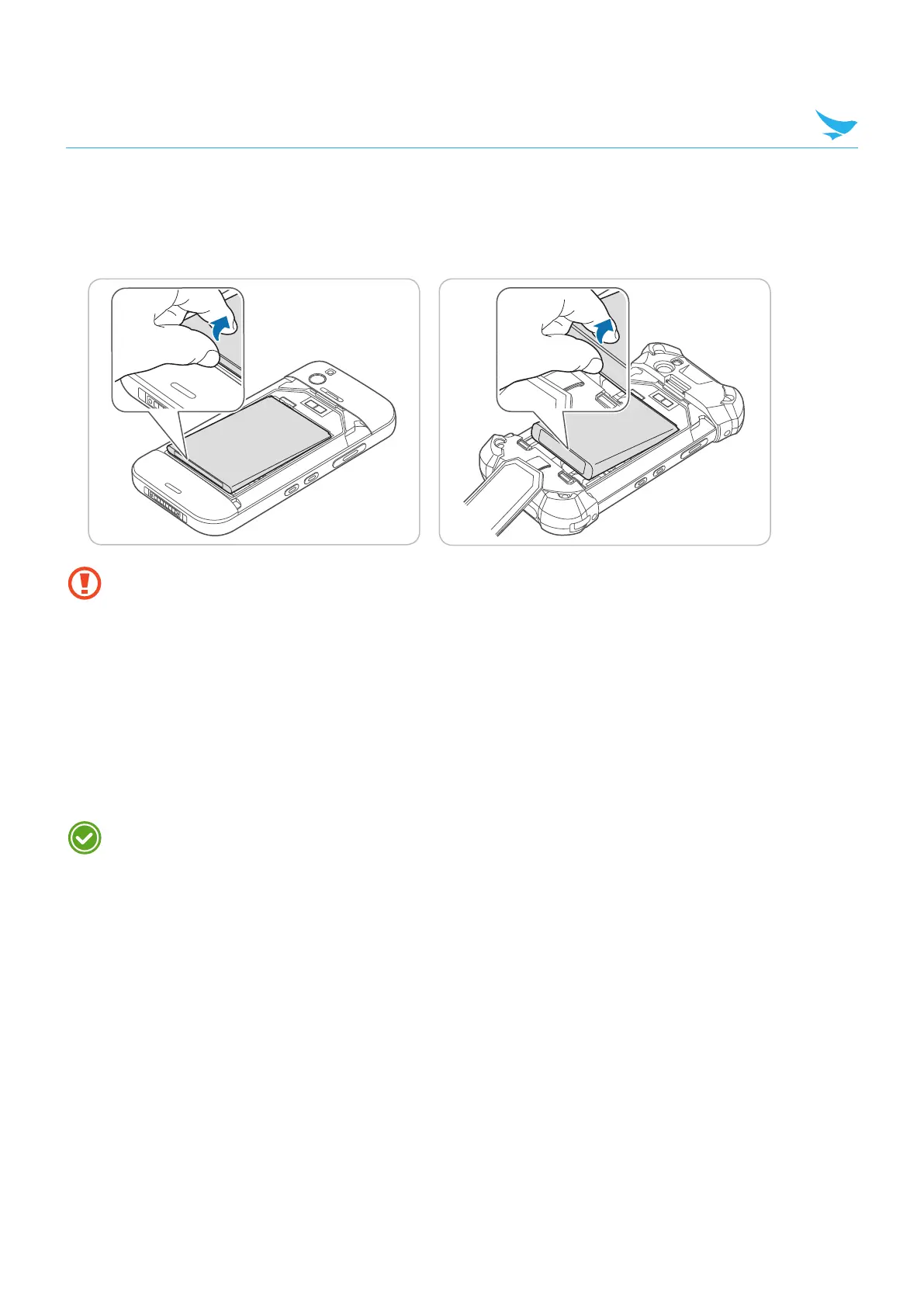
4.2.2 Removing the Battery
1
Remove the battery cover as described in Installing the Battery on page 13.
2
Use your fingernail to lift the battery out of the compartment as shown in the image below.
Before removing the battery, turn off the power. Failure to do so it may cause damage to the device.
4.2.3 Charging the Battery
The device can be charged with a charger or a cradle. You can also charge the battery by connecting it to
your computer with the provided micro USB cable. Check the device’s battery status on the status bar. You
can also check the battery status on the lock screen.
• When the battery is low, the device will emit a sound and display a low power message.
• When the battery is charging, the charging LED will be red.
• When the battery is fully charged, the charging LED will be green.
Charge the device before using it for the first time or after not using it for a long time.



 To Next Page