4 Getting Started
14
3
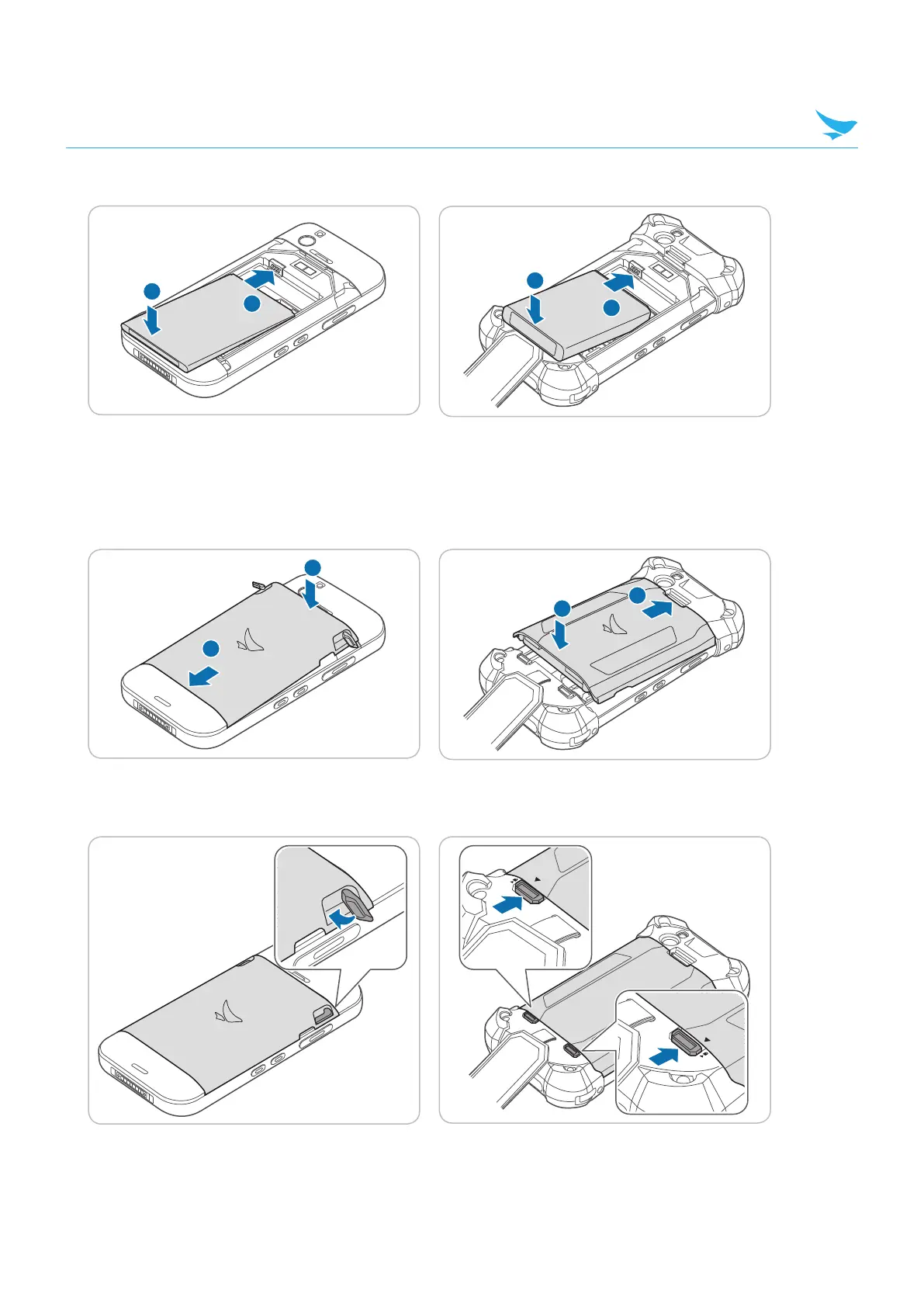
Insert the battery. Make sure the gold contacts are aligned.
2
1
2
1
4
Replace the cover.
For the EF500 device, insert the bottom of the cover first and then press around the edges of the cover
until it clicks into place.
For the EF500R device, insert the top of the cover first and then press around the edges of the cover until it
clicks into place.
1
2
1
2
5
For the EF500 device, close the battery locks to lock the battery cover.
For the EF500R device, slide up the battery locks to lock the battery cover.



 To Next Page