4 Getting Started
13
4.2 Battery
EF500/EF500R uses a 3,200 mAh Lithium-ion rechargeable battery. Install the provided battery before
charging the device.
4.2.1 Installing the Battery
1
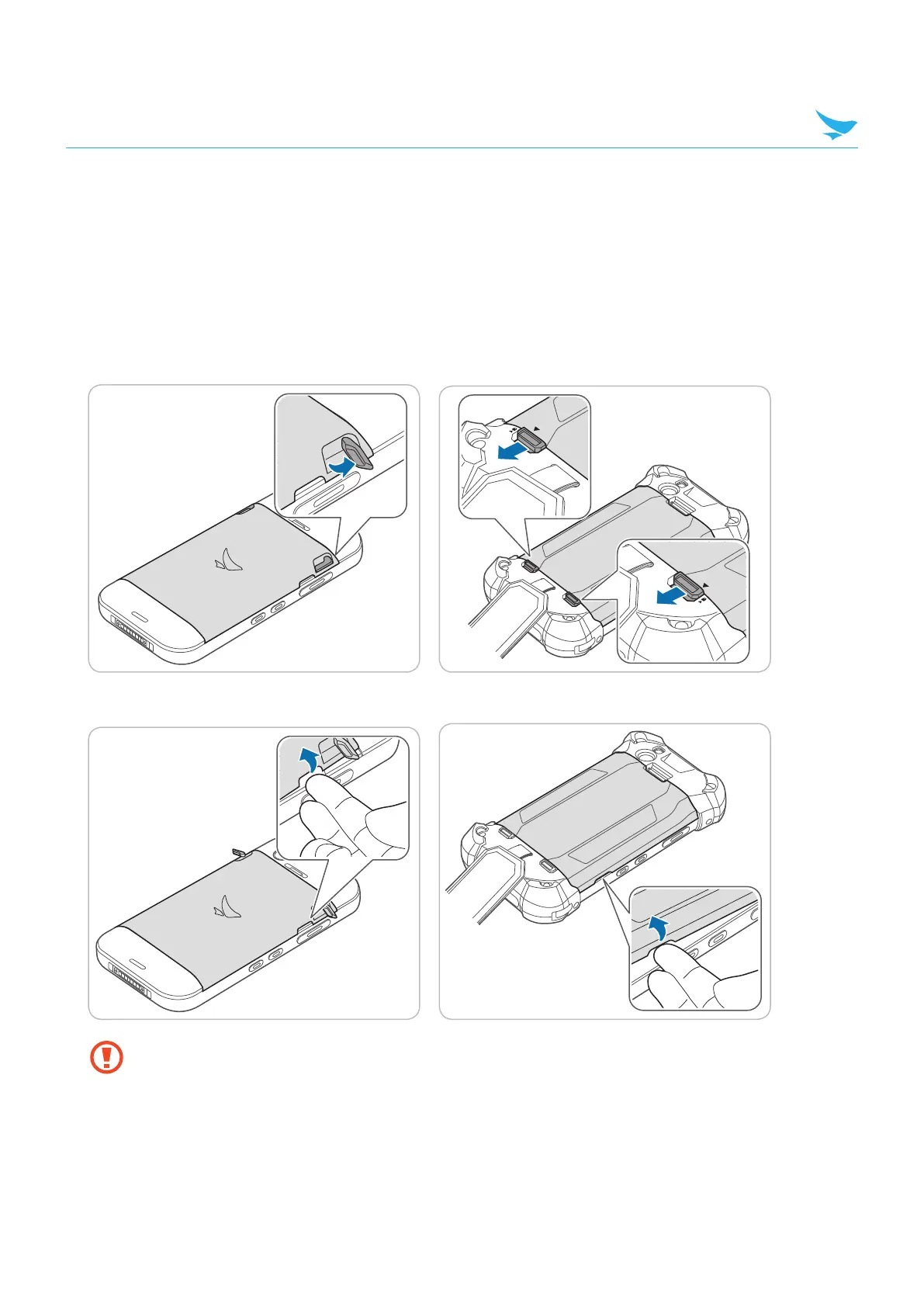
For the EF500 device, lift up the battery locks to unlock the battery cover.
For the EF500R device, untie the handstrap and slide down the battery locks to unlock the battery cover.
2
Use the notch and lift the battery cover. Remove the cover completely.
• When removing the battery cover, be careful not to damage your fingernail.
• Do not try to pull the battery cover excessively. It may damage the cover.



 To Next Page