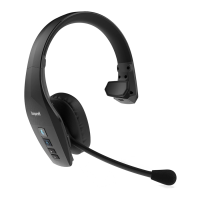
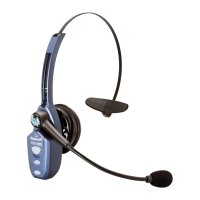
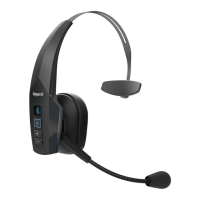
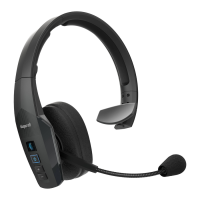
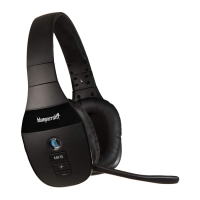
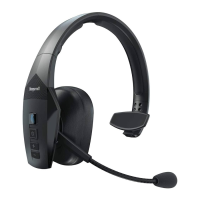
Wearing and Adjusting the B550-XT
To get the best performance from our noise-canceling technology, position the microphone near
the corner of your mouth. Positioning is important; small adjustments in microphone placement
can improve performance.
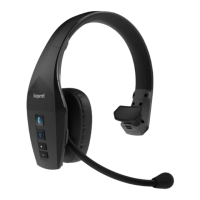
1) Place the headset on your head.
2) Position the speaker directly on your ear. You can slide the
headband in or out of the side support for proper fit.
3) Position the microphone about one finger’s width away from your
face at the corner of your mouth.
4) The headband can be adjusted by gently flexing it outward to
loosen or inward to tighten.
Charging
Connect charger cord to the headset’s charging port. The headset LED will glow red when
charging and blue when fully charged.
Turning Headset On/Off
Turn Headset On: Hold down the MFB for approximately 2-3 seconds, until you hear a voice
prompt, “Power On.” The blue light will quickly flash three times as the headset turns on.
Turn Headset Off: Hold down the MFB for approximately 3-4 seconds, until you hear a voice
prompt, “Power Off.” A red light will flash 4 times and the headset will turn off.
One-Touch Pairing (NFC)
1) Make sure that NFC is enabled on your cell phone.
2) Place the NFC zone of your cell phone against the NFC zone
of the headset and hold together until your cell phone registers
the headset.
3) Follow the prompts on your cell phone to complete pairing.
Note: NFC and One-Touch Pairing are dependent on your cell
phone. The size and sensitivity of your phone’s NFC zone and the
specific way to connect the headset may vary between devices.
Manual Pairing
Place Headset into Pairing Mode: The headset will go into pairing mode automatically the first
time you power it on, or until it is paired with another device. To pair with another device after
initial pairing, you will need to put it into pairing mode manually:
1) With the headset powered off, press and hold the MFB. You will hear the voice prompt
“Power On”. Keep holding the MFB for approximately 10 seconds, until you hear “Pair mode”.
Indicator lights will alternately flash between red and blue.
2) The headset will be visible for pairing to devices for 120 seconds.
Pairing to a Cell Phone:
1) Make sure that other Bluetooth devices are turned off or out of range.
2) Place the headset into pairing mode.
3) Put your cell phone in Bluetooth Search/Scan Mode per the manufacturer’s instructions.
4) Select “BlueParrott B550-XT” to pair. (Passcode is “0000” if needed.)
5) When connected, the headset will give you the voice prompt, “Your headset is connected”.
Parrott Button
As provided from the factory, the Parrott Button provides an easy way to mute the headset when
on a call and to activate voice commands. You can also configure the button for other functions,
such as a phone number speed dial, or to launch a particular application on your phone.
To change the Parrott Button function, download the BlueParrott app for your
cell phone (Android or iOS) or BlueParrott Updater for your computer. Scan the
QR code to download the app or refer to blueparrott.com/parrott for more
information.
Voice Commands
The B550-XT recognizes voice commands. You can say “Answer” to answer an incoming call, or
“Ignore” to reject an incoming call.
When not on a call, voice commands are initiated by speaking the command “Hello Blue Parrot”
while the headset is worn.
For a list of commands available, say “What can I say?”
For more information on voice commands, please refer to the complete user guide, available
online.
Quick-Reference Tables
Function Button/Duration
of Press
LED Indicator Audio Indicator Voice Indicator
Power On MFB (2-3 seconds) 3 fast blue flashes Short tone “Power on”
Power Off MFB (3-4 seconds) 4 fast red flashes NONE “Power off”
Enable Pairing
Mode
MFB (5-15 seconds) Red and blue,
alternating
NONE “Pair mode”
Volume Up Volume
Up (quick press)
NONE Single tone NONE
Volume Down Volume Down
(quick press)
NONE Single tone NONE
Mute (On/Off) Parrott Button
(quick press) or
Volume Up (2 seconds)
NONE Single tone, reminder
tone every 10 seconds
NONE
Answer a Call MFB (quick press)
or say “Answer”
Blue flash, once
per second
Two rising tones NONE
End a Call MFB (quick press)
or say “Blue Parrott
end call”
Blue flash, every 4
seconds
Two falling tones NONE
Reject a Call MFB (1-2 seconds)
or say “Ignore”
NONE Two falling tones NONE
Transfer Audio Volume Down
(1-2 seconds)
NONE Long, low tone NONE
Initiate Voice
Commands (when
in standby mode)
Place headset on
and say “Hello Blue
Parrott”
NONE Short tone “Please say a
command”
Low Battery N/A Red flash NONE “Battery low”
Multiple Device Pairing and Advanced Features
The BlueParrott B550-XT can pair with up to eight (8) devices. However, only two (2) devices
may be connected to the headset at one time (multi-point). For more information on advanced
features, please refer to the complete user guide, available online.
For the full user guide, technical notes, and available accessories, go to blueparrott.com/B550-XT.
SCAN QR CODE BELOW TO DOWNLOAD COMPANION BLUEPARROTT APP


 To Next Page