EasyManua.ls Logo

Bluetti Sub Panel - User Manual

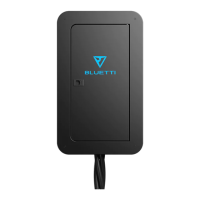
Bluetti Sub Panel
20 pages
Print Icon
To Next Page IconTo Next Page
Loading...
Sub Panel
Please read this manual before use and follow its guidance. Keep this manual for future reference.
Question and Answer IconNeed help?

Do you have a question about the Bluetti Sub Panel and is the answer not in the manual?

Summary

Introduction

Features

Lists the key features of the Sub Panel, including installation, compatibility, and safety aspects.

Application

Details how the Sub Panel is used with single or dual BLUETTI power stations for various connection scenarios.

In The Box

Lists the items included in the package, such as the Sub Panel unit, user manual, and certification card.

Quality Inspection

Outlines the steps for checking the unit's quality before shipping, including appearance, hardware, and accessories.

Sign

Explains the meaning of danger and warning symbols used in the manual.

Safety

Provides essential safety information and warnings regarding hazards and risks associated with the Sub Panel.

Installation

Preparation

Details the necessary tools and wire specifications required before installing the Sub Panel.

Installation

Provides step-by-step instructions for mounting the Sub Panel on a wall, including drilling and screw usage.

Sub Panel Wiring

Guides on wiring the Sub Panel to the grid and loads, with crucial safety precautions and diagrams.

Connection

Single Connection

Explains how to connect a single BLUETTI Power Station (EP500/Pro or AC300) to the Sub Panel.

Single EP500

Details the connection process for a single EP500 unit with the Sub Panel, including input/output plugs and diagrams.

Single EP500 Pro

Provides connection instructions for a single EP500 Pro unit with the Sub Panel, including diagrams and warnings.

Single AC300

Outlines the connection procedure for a single AC300 unit with the Sub Panel, including diagrams and warnings.

Split Phase Connection System

Details how to enable a Split Phase System by connecting dual BLUETTI Power Stations (EP500/Pro, AC300) to the Sub Panel.

Dual EP500

Explains how to connect dual EP500 units to enable the Split Phase System with the Sub Panel.

Dual EP500 Pro

Details the connection process for dual EP500 Pro units to establish a Split Phase System using the Sub Panel.

Dual AC300

Provides instructions for connecting dual AC300 units to implement a Split Phase System with the Sub Panel.

Operation

Pass-through Function

Explains the pass-through function and the rotary switch states for disconnecting, machine power, and grid power supply.

Grounding Method

Discusses grounding methods, including floating neutral and bonded neutral configurations for the Sub Panel.

Specifications

Maintenance

Overview

This document describes the BLUETTI Sub Panel, a household power storage solution designed to supply electrical power to homes, RVs, or remote locations, particularly during utility power outages. It is compatible with installations in the United States, Canada, Mexico, Japan, and other countries. The Sub Panel, when paired with BLUETTI EP500 (or AC300) power systems, utilizes environmentally friendly and safe lithium batteries to provide a stable and long-lasting backup power supply.

Function Description

The BLUETTI Sub Panel serves as an interface between your home's electrical system and BLUETTI power stations (EP500/Pro, AC300). It allows for both single and dual power station connections, supporting power generation at 120V or 240V, depending on the configuration. A key feature is its inspection function, which allows the load on the Sub Panel to be powered via the grid when the Sub Panel itself requires overhaul or maintenance. This ensures continuous power supply to critical loads even when the power station is disconnected. The Sub Panel also incorporates safety features to prevent overloads.

Important Technical Specifications

  • Working Temperature: 0°C ~ 45°C (32°F ~ 113°F)
  • Humidity: 10% ~ 90%
  • Altitude: <2000m
  • Dimension (LWH): 360mm * 140mm * 600mm (14.17in * 5.51in * 23.62in)
  • Weight: 17KG (37.4lbs)
  • Recommended Wire Size: ≥8 AWG for Hot (L1, L2), Neutral (N), and Earth (PE) wires.
  • Grid Input (Single Connection): 2-wire input from grid at single-phase 100V or 120V.
  • Grid Input (Split Phase Connection): 3-wire input from grid at single-phase 100V or 120V.
  • Load Capacity: Should exceed the Max Power of Input of the connected Power Station.

Usage Features

The Sub Panel offers flexible usage scenarios:

  • Single Connection: For users with a single EP500/Pro or AC300 power station, loads are connected directly to the Sub Panel. The grid input is a 2-wire single-phase connection.
  • Split Phase Connection System: For users with dual EP500/Pro or dual AC300s, this system enables split-phase functionality. The grid input is a 3-wire single-phase connection.
  • Indoor & Outdoor Installation: The Sub Panel is designed for versatile installation environments.
  • Pass-through Function (Rotary Switch): A rotary switch on the Sub Panel provides three operational modes:
    • "0": Disconnect: Loads on the Sub Panel are disconnected from both the utility power and the power station.
    • "1": Connected: All Sub Panel functions are enabled, meaning it is actively managing power flow between the grid, power station, and loads.
    • "2": Grid power supply: The grid directly supplies power to household loads, allowing for charging of matching products (BLUETTI power stations) and enabling maintenance on the power station side without interrupting household power. This bypasses the power station, ensuring continuous utility power to the loads.
  • Grounding Methods:
    • Floating Neutral: When the Sub Panel is connected only to a BLUETTI Power Station (disconnected from the Main Panel), the neutral conductor of the distribution system will "float," meaning the N and PE wires of the Input and Output Ports of the Power Station are not directly connected within the Sub Panel.
    • Bonded Neutral: To convert the Sub Panel to a bonded neutral system, it must be connected to the Main Panel, or the Neutral bus-bar must be connected to PE as per the provided instructions.
  • Ease of Installation: The manual provides detailed instructions for mounting the Sub Panel (Type A - Mounting with 4 expansion screws for concrete/tapping screws for wood; Type B - Hanging with 2 expansion screws for concrete/tapping screws for wood) and wiring to both the grid and loads. Connecting cables for BLUETTI power stations are included in the package for convenience.

Maintenance Features

Regular maintenance is crucial for the longevity and safe operation of the Sub Panel:

  • Wiring Inspection: Regularly check the wiring of all system components to ensure stable connections. Tighten any loose connections immediately after powering off the unit.
  • Component Check: Periodically inspect components for signs of vibration, abnormal sounds, or unusual smells.
  • Cleaning: The exterior cover of the Sub Panel should be cleaned regularly.
  • Wire Integrity: Regularly check for damaged wires integrated into the Sub Panel; replace any damaged wires immediately.
  • Troubleshooting: If issues cannot be resolved, contact the dealer. Maintaining a detailed record of problems will assist in diagnosis and resolution.
  • Safety Precautions: Always use insulating tools during installation and maintenance. Before installation, turn off all breakers and twist the main switch to "O" to confirm the panel is no longer energized by utility power. Ensure the AC cable meets or exceeds National Electrical Standards. Always ensure the Sub Panel and circuit are turned off before performing any work. The input and load circuits must be connected to the same Line Wire.

Bluetti Sub Panel Specifications

General IconGeneral
BrandBluetti
ModelSub Panel
CategoryHome Automation
LanguageEnglish