18 BA-077/1EN M6X.20XX
3 - How to operate the machine
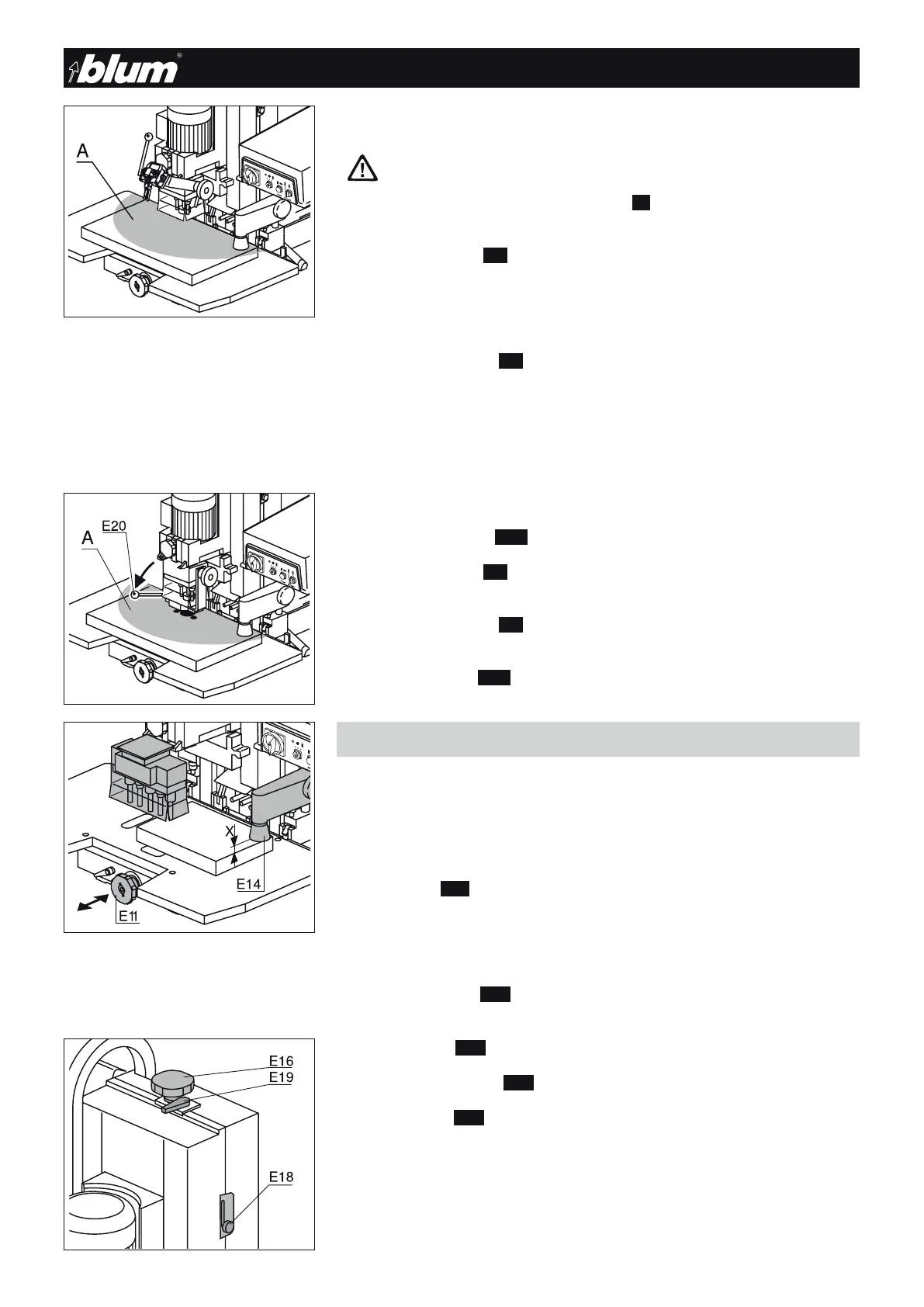
3.3.4) Drilling
ATTENTION
Make sure that only the work piece is in the working area of the ma-
chine.
Keep your hands out of working area (A) of the machine during drilling
and insertion.
• Press the start button (E3) until the drilling depth is reached
- The hold down clamps secure the work piece
- The vertical drilling unit moves downward
- The drill bits rotate
• Release the start button (E3)
- The vertical drilling unit returns to the starting position
- The drill bits stop rotating
- The hold down clamps remain extended
- The drill hole is blown out
3.3.5) Inserting fittings
• Swivel down swing arm (E20) to the stop
• Press the start button (E3) until the fitting is completely inserted
- The vertical drilling unit moves downward
• Release the start button (E3)
- The vertical drilling unit returns to the starting position
• Swivel up swing arm (E20)
- The hold down clamps are released
3.4 - Vertical drilling only
3.4.1) System drilling and drilling hole groups, etc.
• Insert the drilling head (see chapter 4 Drilling head replacement)
• Attach ruler
• Set work table (E11)
• Set hold down clamp (E14)
Important
Particular care must be taken when working on sections that jut out
over the work table. Use extensions.
• Set drilling depth (E16)
• Set drill head brake point (E18)
• Set mode switch (E19) to Pos. “Drilling”
!


 To Next Page