19 BA-077/1EN M6X.20XX
3 - How to operate the machine
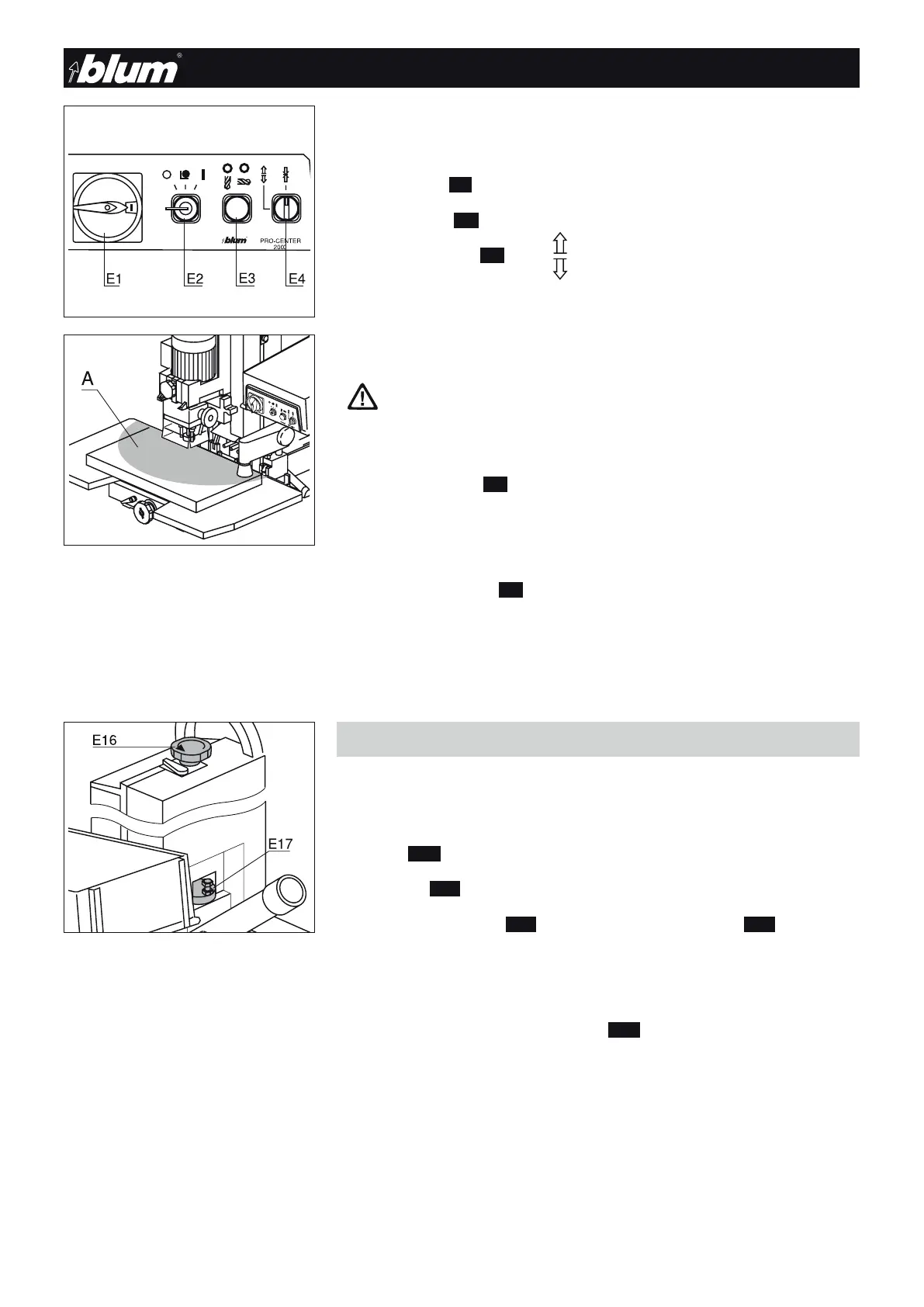
3.4.2) Switch settings on the operator panel
• Turn on extraction system
• Set main switch (E1) to Pos. I
• Set mode switch (E2) to Pos. I (operation)
• Set hold down clamp (E4) to Pos.
(clamp on)
Drilling
Attention
Make sure that only the work piece is in the working area of the ma-
chine.
Keep your hands out of the working area (A) of the machine during drill-
ing and insertion.
• Press the start button (E3) until the drilling depth is reached
- The hold down clamps secure the work piece
- The vertical drilling unit moves downward
- The drill bits rotate
• Release the start button (E3)
- The vertical drilling unit does not return completely to the starting position
(the work stroke is shorter)
- The hold down clamps are released
- The drill holes are blown out
3.5 - Pre-setting revolver for drilling depth
3.5.1) The drilling depths for panel thicknesses 16 and 19 mm are already pre-set
• 2 additional dimensions can also be pre-set
• 3 screws (E29) with different lengths are enclosed
• The revolver (E17) is located on the back of the machine
• Turn the revolving handle (E16) to an open position on the revolver(E17)
Note
The revolver can also be removed for setting.
To do so, lift the revolving handle (E16).
!


 To Next Page