35 BA-077/1EN M6X.20XX
4 - Working with PRO-CENTER
4.4.1) General
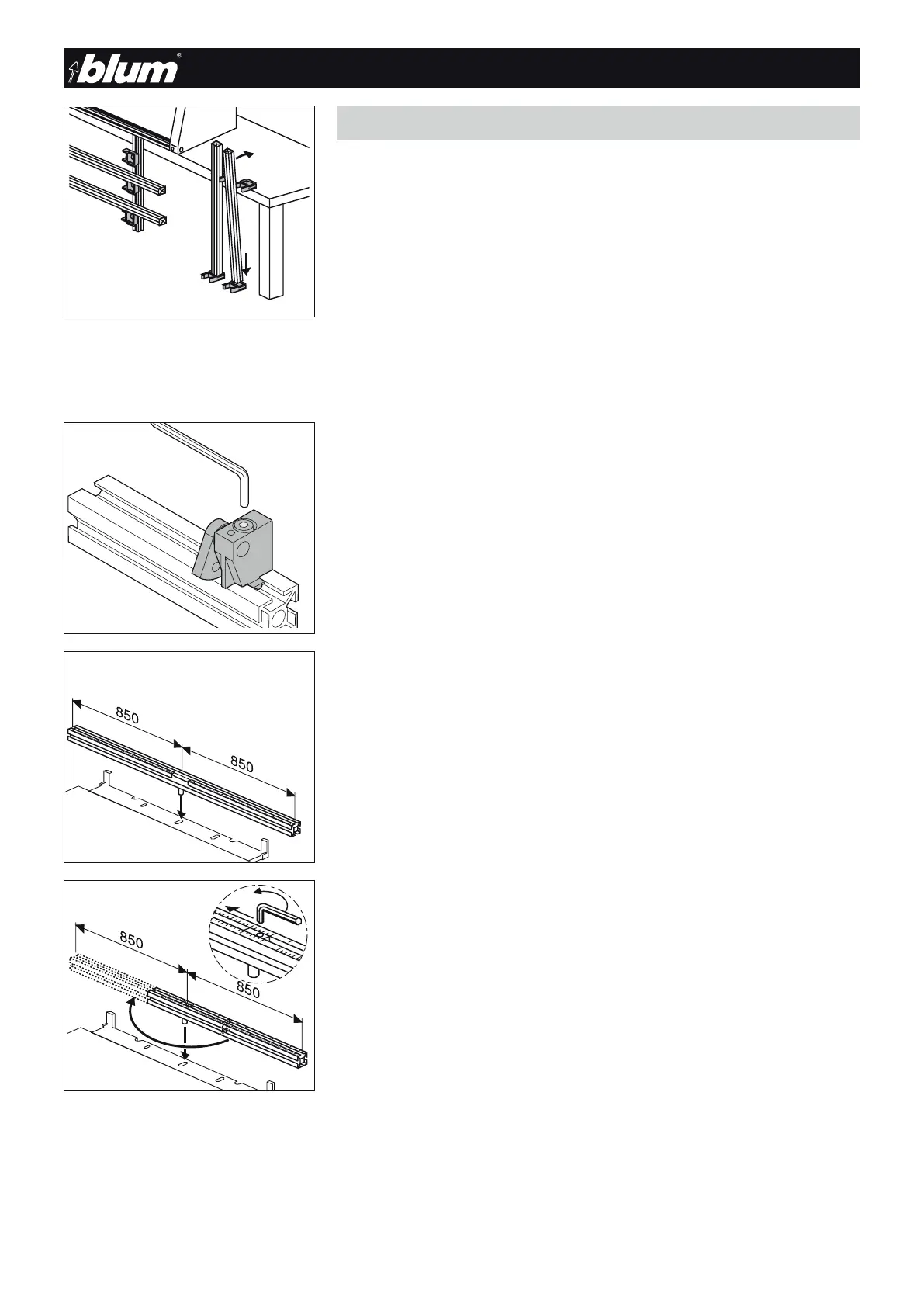
a) Attaching rulers
• Installing ruler holders to the work top:
- Attach a ruler holder to the work top surface.
- Attach the second to the floor
- Place the ruler vertically into the lower holder and clip into the top holder.
• Installing ruler holders to the storage rack:
- Secure the ruler holders to the vertical profiles of the storage rack on the left and
right.
- Insert the rulers level in the holders.
4.4 - Rulers overview
b) Presetting swivel stops
• Set the swivel stops to the desired dimension and clamp.
4.4.2) ST ruler: MZL.2000 standard ruler
• The scale is symmetrical starting from the 0 point going to 850 mm
• This ruler can be used universally for vertical drilling
4.4.3) R ruler: MZL.2010 Reversible ruler
• One-sided scale starting from the 0 point to 850 mm
• This ruler is installed one-sided either on the right or left.
It must be reversed to drill right or left pieces.
This makes the results more exact since the stops only need to be set once.
• 0 point setting
The 0 point can be set to compensate for differences between the door dimension
and the cabinet dimension. The stops thus do not need to be adjusted.
Adjustment
• Loosen the clamping screw with a hex key and set the part to the desired dimension
• Retighten clamping knob


 To Next Page