27
WARNING
If you clear the RVMasterNode remember to pair with the RVMasterController again.
PAIRING WITH THE RVMASTERNODE
I tried pairing my smartphone to the RVMasterNode but it didn’t connect?
If pairing failed try the following before attempting to pair your smartphone again:
1. Toggle the smartphone’s Bluetooth off and on
2. Restart the RVMaster App
3. Cycle power to the RVMasterNode off and on by disconnecting RV shore power or if
available in your RV, cycling the battery isolation switch off and on.
If the above does not solve the problem, go to the RVMasterApp General Settings and
unpair your smartphone. Then follow the instructions in Clearing the RVMasterNode
to clear the RVMasterNode memory of any previously connected devices. Pair your
smartphone.
I tried pairing my smartphone to the RVMasterNode but the RVMasterController
displays --?
When pairing to the RVMasterNode if the RVMasterController displays --, the
RVMasterNode is already paired to four devices and cannot support anymore devices.
Follow the instructions in Clearing the RVMasterNode, then pair your smartphone.
Don’t forget to also pair the RVMasterController again.
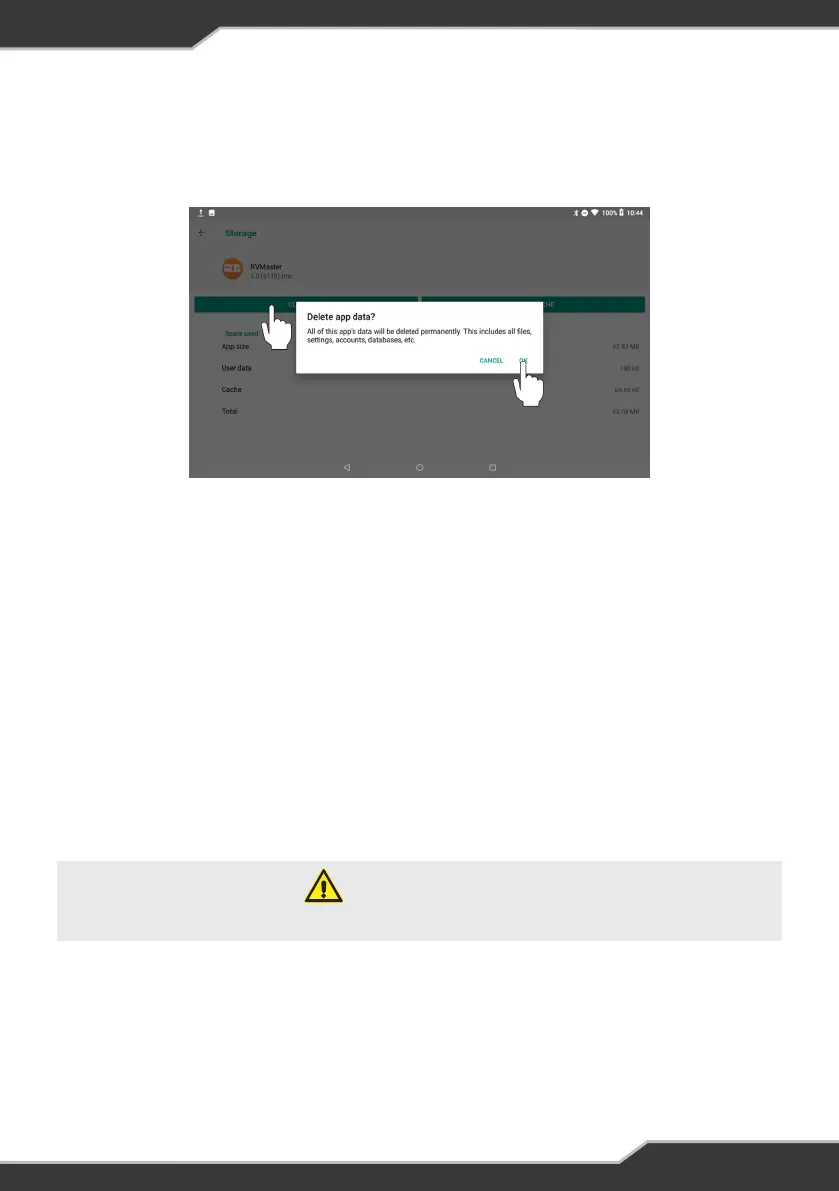
6. Tap on Storage
7. Tap on Clear Data and press OK at the prompt to clear the RVMaster App data
(Figure 29)
8. Return to the Main screen and relaunch the RVMaster App
Figure 29: Clear RVMaster App data



 To Next Page