17
PAIRING TO THE NODE WITH A CONTROLLER (MODEL DEPENDENT)
Pairing your Controller or your own smartphone or tablet to the Node is done in
two easy steps. The RVMaster App will guide you through the pairing process.
While the Node can be paired to a total of four devices (including the Controller),
you can only pair one device at a time to the Node.
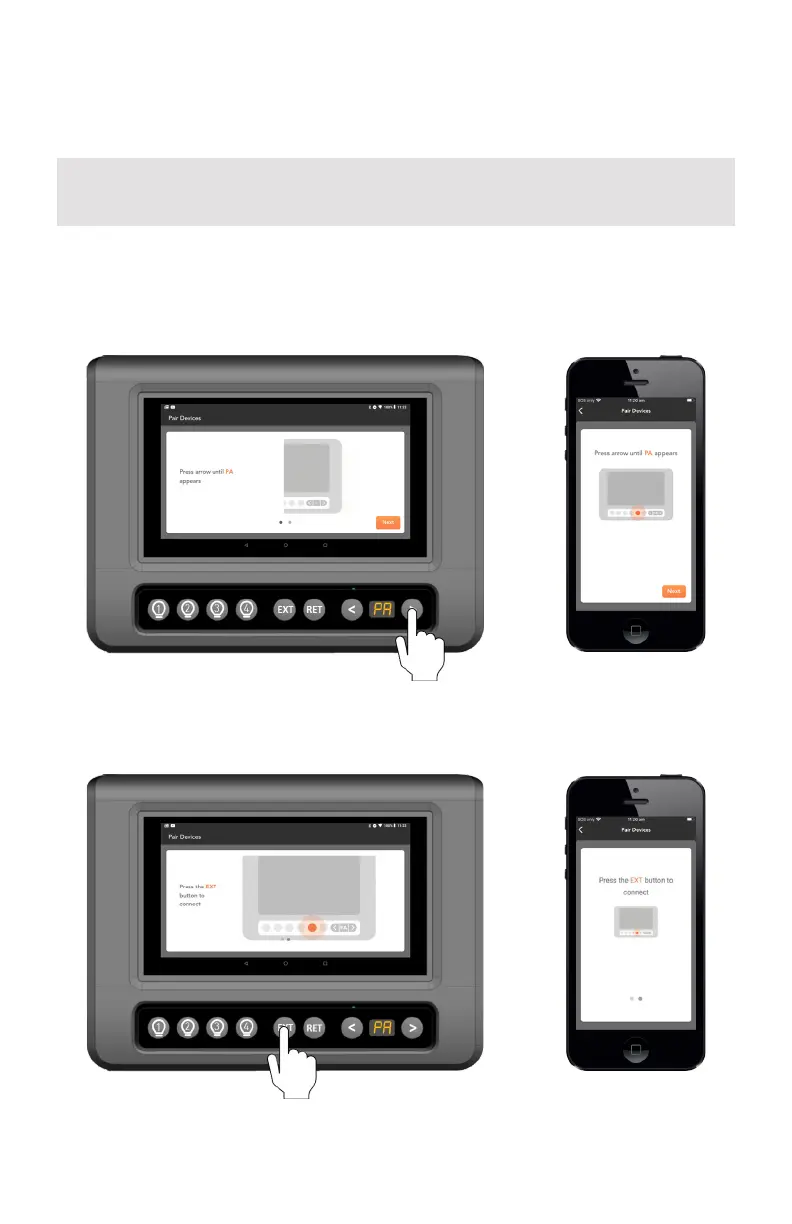
1. Using the < or > buttons on the Controller, navigate to the ‘PA’ menu item.
2. When ‘PA’ appears on the display, press the EXT button to start the pairing
process to the Node. ‘PA’ will blink during the pairing process.
The Controller will have been paired to your Node at the factory. You should only need
to pair your own device or smartphone to the Node.



 To Next Page