22
WINEGARD
To set up Winegard:
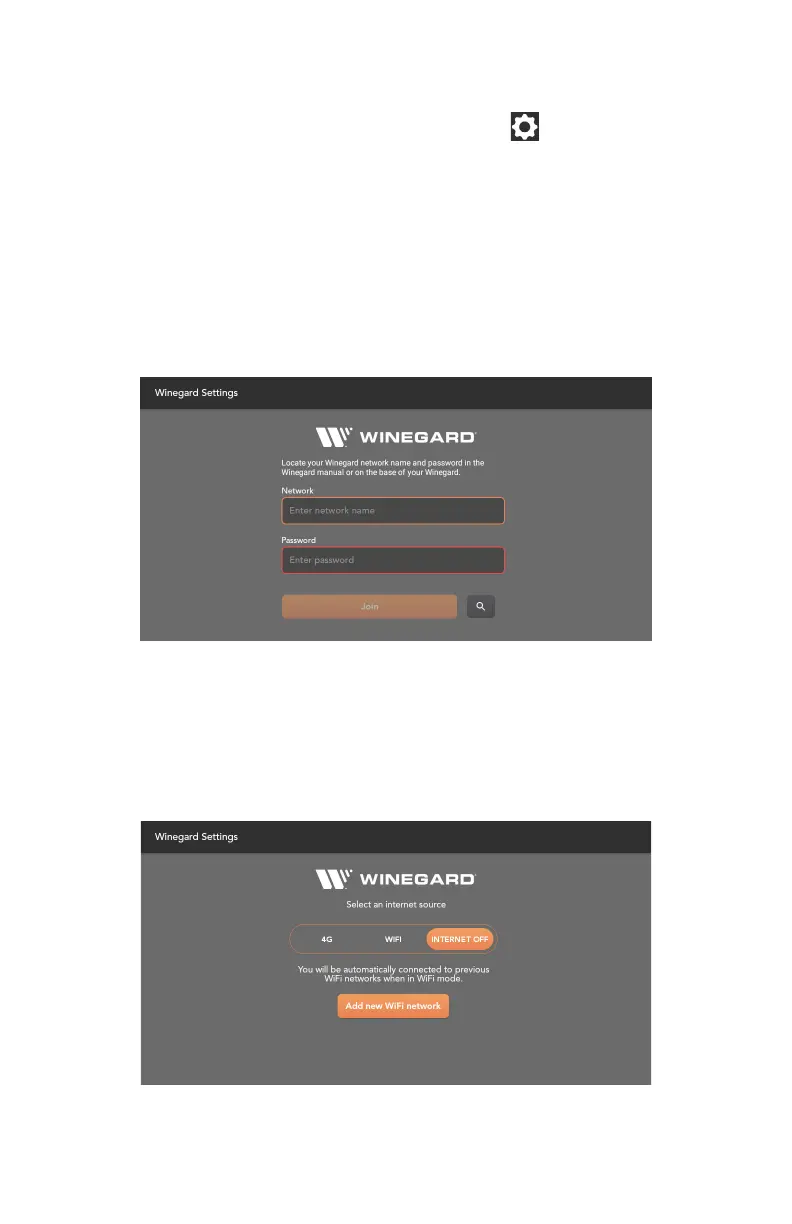
1. From the App home screen, press the Settings icon .
2. Select Winegard Settings
Internet Preferences
You can select from the following options:
9 4G: Connect to a 4G network. SIM card required.
9 WiFi: Connect to an external WiFi network.
9 Internet Off: No internet source selected.
Logging into the Winegard Network
1. Press the search button to search for the available networks.
2. Select the desired network and enter the password or enter the network name
and password. If your network is not seen, make sure the Winegard is turned
on and scan again.
3. After the network name and password are entered correctly, press Join.



 To Next Page