30
When enabled, Auto Generator Start (AGS) will monitor battery and/or climate
levels and automatically turn the generator on and off to support these functions.
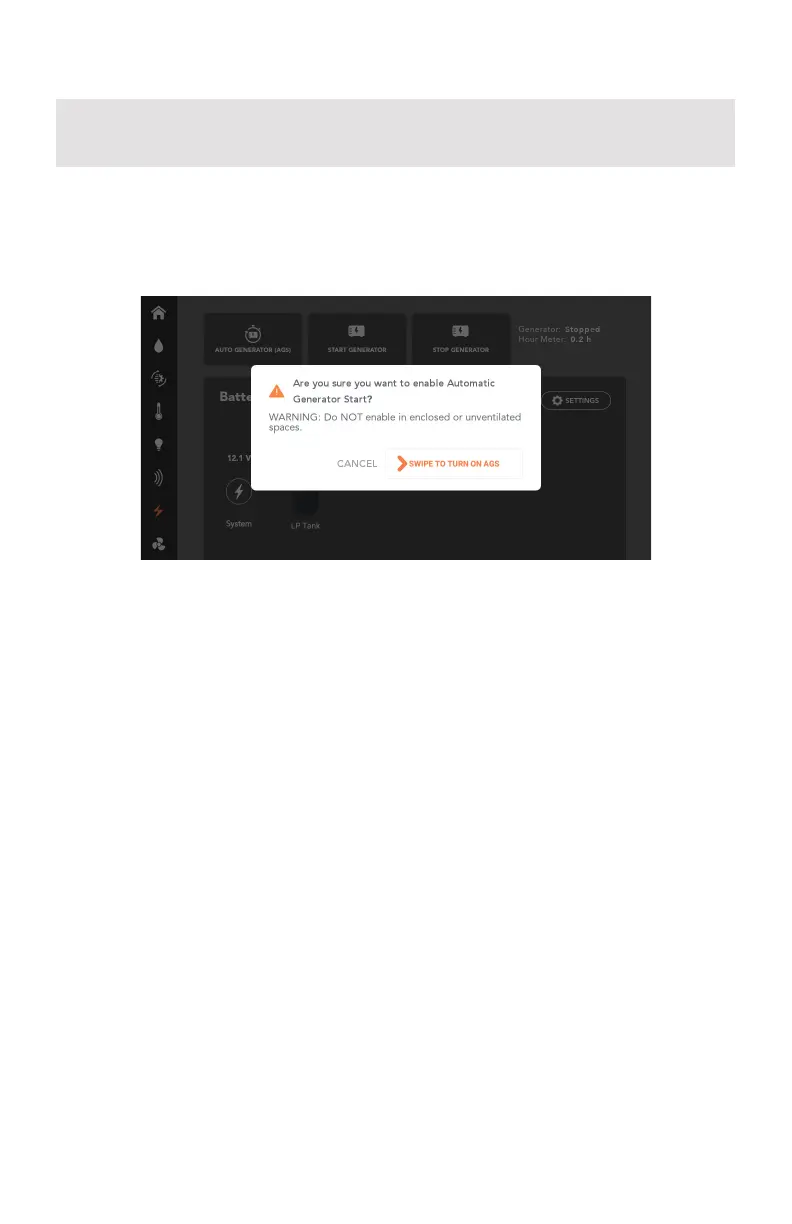
To use AGS, press the Auto Generator (AGS) button, then swipe to turn on AGS.
If AGS is enabled and conditions determine that the generator should start to
support battery and climate functions, the Node will automatically attempt to
start the generator a total of four times. After four failed starts, the Node will no
longer attempt to start the generator.
Please consult your generator’s owner’s manual if AGS fails because the
generator could not be started.
Auto Generator Start (AGS)
ENERGY SETTINGS
Press Energy Settings to set the parameters to control AGS usage.
Use AGS to Support
Choose if AGS is to support battery levels, climate or both.
Battery Levels
Nominate the battery voltage (min) level which automatically starts battery
charging from the generator. Battery charging stops when the target voltage is
reached.
AGS monitors both system voltage and coach battery voltage and uses the greater
of the two voltages to determine whether to turn the generator on or off.
To use AGS from your Controller, you may need to update the RVMaster App on the
Controller.



 To Next Page