49
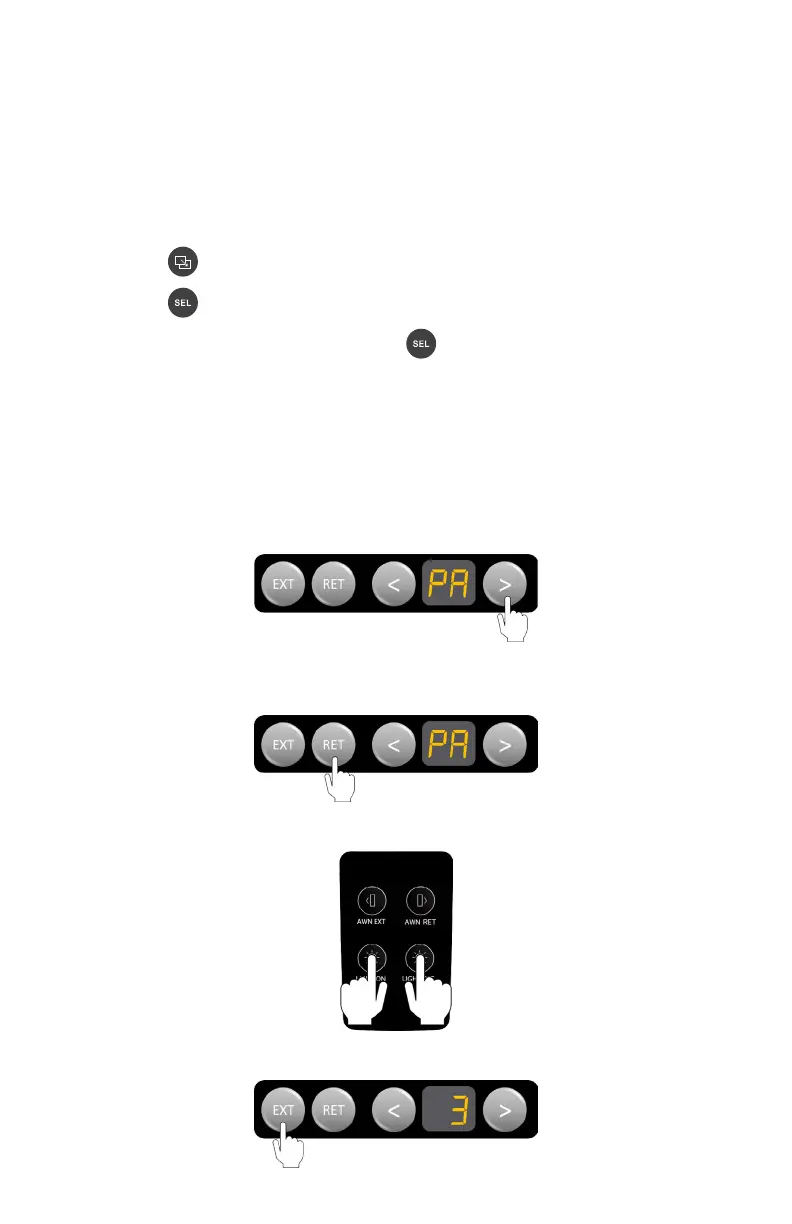
3. Press any two buttons on the Switch at the same time.
4. Press EXT on the Controller to accept the pairing of the Switch to the Node.
SWITCH
I’ve replaced the Switch in my RV, but it doesn’t work?
You need to pair the Switch to the Node before you can use the switch.
The instructions are different depending on if you have a Display or a Controller
as part of your system.
If you have a Display:
1. Using the button on the Display, navigate to the Settings menu.
2. Using the button on the Display, navigate down to Advanced.
3. In the Advanced setting menu, use the button to navigate down to Pair
Switch.
4. Press the OK action button to put the node into Switch pairing mode.
5. While in paring mode, press any TWO buttons at the SAME TIME on the switch
you want to pair.
If you have a Controller:
1. Using the < or > buttons on the Controller, navigate to the ‘PA’ menu item.
2. When ‘PA’ appears on the display, press the RET button to start the pairing
process between the Switch and Node.



 To Next Page