46
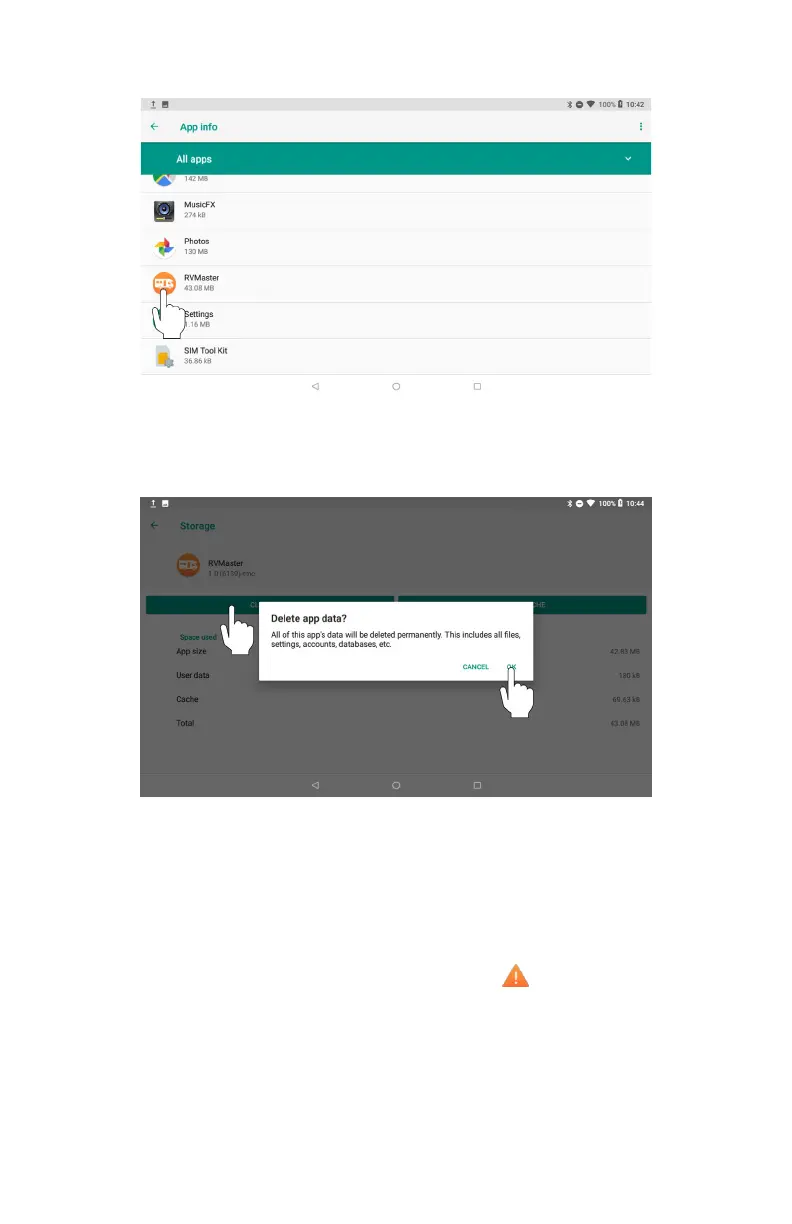
6. Press Storage.
7. Press Clear Data and press OK at the prompt to clear the RVMaster App data.
8. Return to the Main screen and relaunch the RVMaster App.
I am receiving a shore power fault message, what do I do?
If the Node has been connected to a faulty power source, the following error
message will display on the Controller or RVMaster App:
SHORE POWER FAULT! The power cord has been connected to a faulty power
source. Power will not be restored until connected to a properly working source.
A warning icon will also appear at the top of the page.
You will not be able to continue using your RVMaster until the Node is connected
to a non-faulty power source.



 To Next Page