speed to the traffic conditions and brake as
needed.
Switch mode of the cruise control
Switching cruise control without distance control
off and on:
▷
Press and hold this button.
▷
Press and hold this button.
With steering and traffic jam assistant: switch on
distance control:
Press the button.
Without steering and traffic jam assistant: switch
on distance control:
▷
Press the button.
▷
Press the button.
After switching, a Check Control message is dis‐
played.
Displays in the instrument
cluster
General information
Depending on the equipment version, the dis‐
plays in the instrument cluster may vary.
Display in the speedometer
▷ Green marking: system is ac‐
tive, the marking indicates the
desired speed.
▷ Grey marking: system is inter‐
rupted, the marking indicates
the stored speed.
▷ No marking: system is switched off.
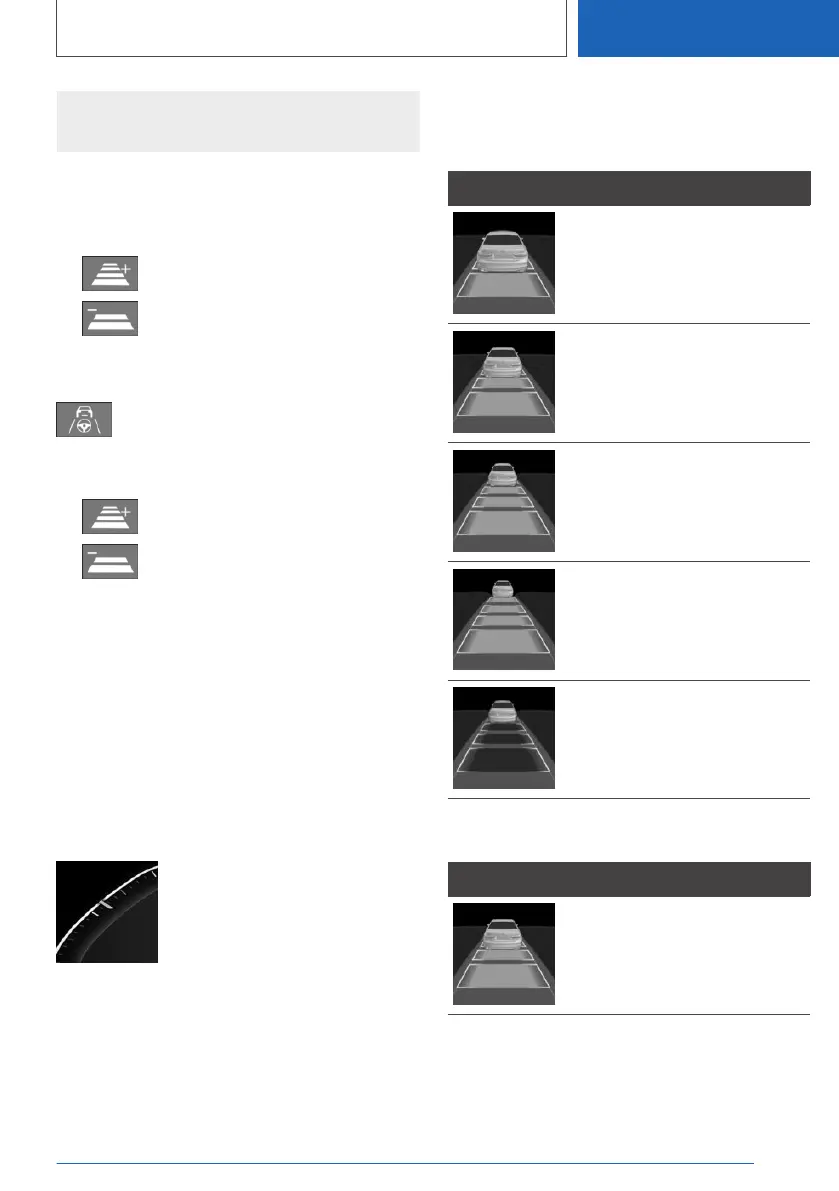
Distance to vehicle ahead of you
Selected distance to the vehicle ahead of you is
shown.
Icon Description
Distance 1
Distance 2
Distance 3
Distance 4
This value is set automatically
after the system is switched on.
No distance control display, as
the accelerator pedal is being
pressed.
Detected vehicle
Icon Description
Green icon:
A vehicle has been detected
ahead of you.
When the distance to the detected vehicle in‐
creases, the vehicle symbol in the distance dis‐
play will move away.
Seite 225
Driver assistance systems
CONTROLS
225
Online Edition for Part no. 01405A2C7F8 - II/21





 To Next Page