Traffic Jam Assistant must be available in the
respective country.
Switching on
As soon as all functional requirements
are met, Extended Traffic Jam Assistant
will be displayed as an additional icon in
the function bar. The toolbar is displayed
at the bottom of the instrument cluster.
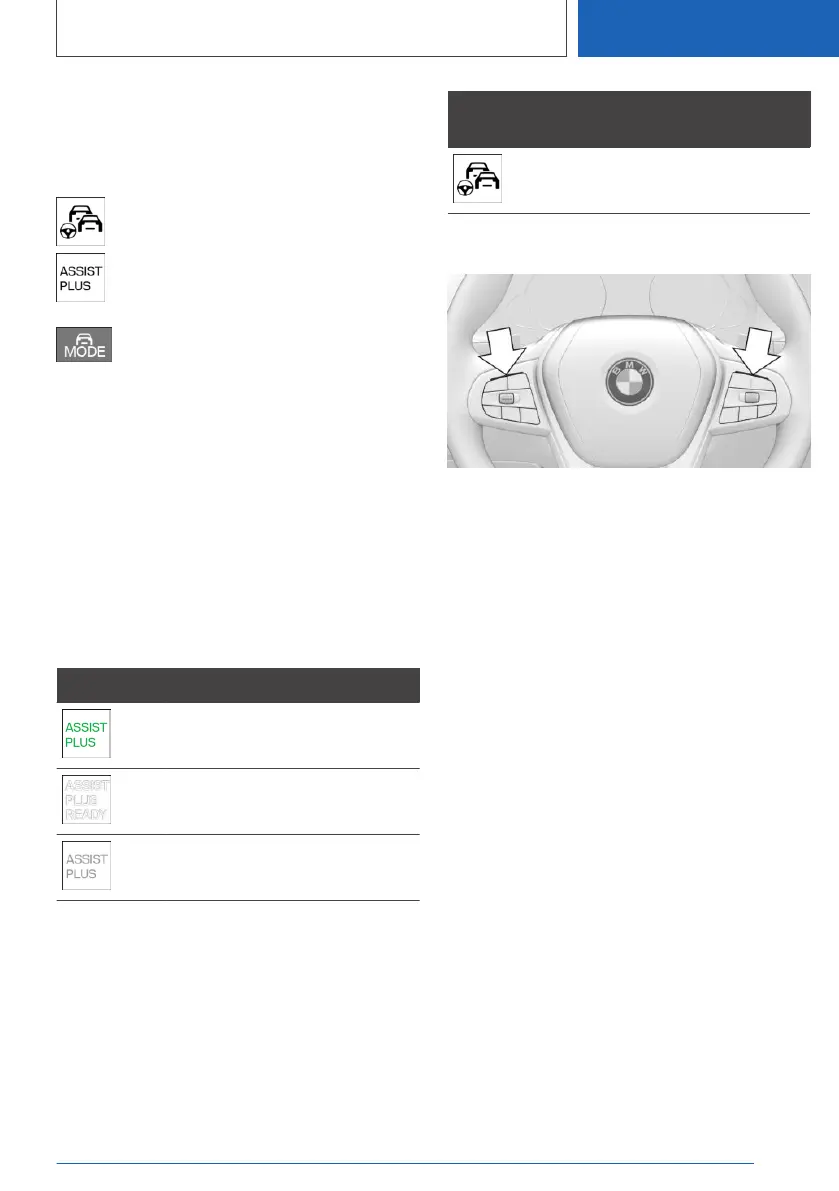
Select Extended Traffic Jam Assistant
with the button on the steering wheel.
The icon for Extended Traffic Jam Assistant is
shown in green.
Two green LED lights are illuminated on the
steering wheel.
The indicator light in the instrument cluster is
shown in green.
The system begins to assist the driver with vehi‐
cle control.
Displays in the instrument
cluster
Icon Description
Indicator light green: system is
active.
Indicator light white: system is
ready.
Gray indicator light: the system
has been interrupted.
Alternative displays
Depending on the equipment version, the dis‐
plays in the instrument cluster may vary and are
displayed as follows:
Indicator
light
Description
Indicator light green: system is
active.
Displays on the steering wheel
The two LED lights above the buttons illuminate
analogously to the displays in the instrument
cluster:
▷ Green: the system is active.
▷ Yellow: system will be interrupted.
▷ Red: system will be deactivated.
System limits
General information
The limits of the Steering and Lane Control As‐
sistant system apply.
Additional information:
Steering and Lane Control Assistant, refer to
page 230.
Driver Attention Camera
Always monitor the traffic conditions.
The Driver Attention Camera detects whether or
not the driver is paying attention to the traffic
conditions.
The Driver Attention Camera may not be fully
functional in the following situations:
▷ When the Driver Attention Camera is covered
by the steering wheel rim.
Seite 235
Driver assistance systems
CONTROLS
235
Online Edition for Part no. 01405A2C7F8 - II/21






 To Next Page