OverviewControlsDriving hintsCommunication NavigationEntertainmentMobilityReference
149
Calling up memorised station
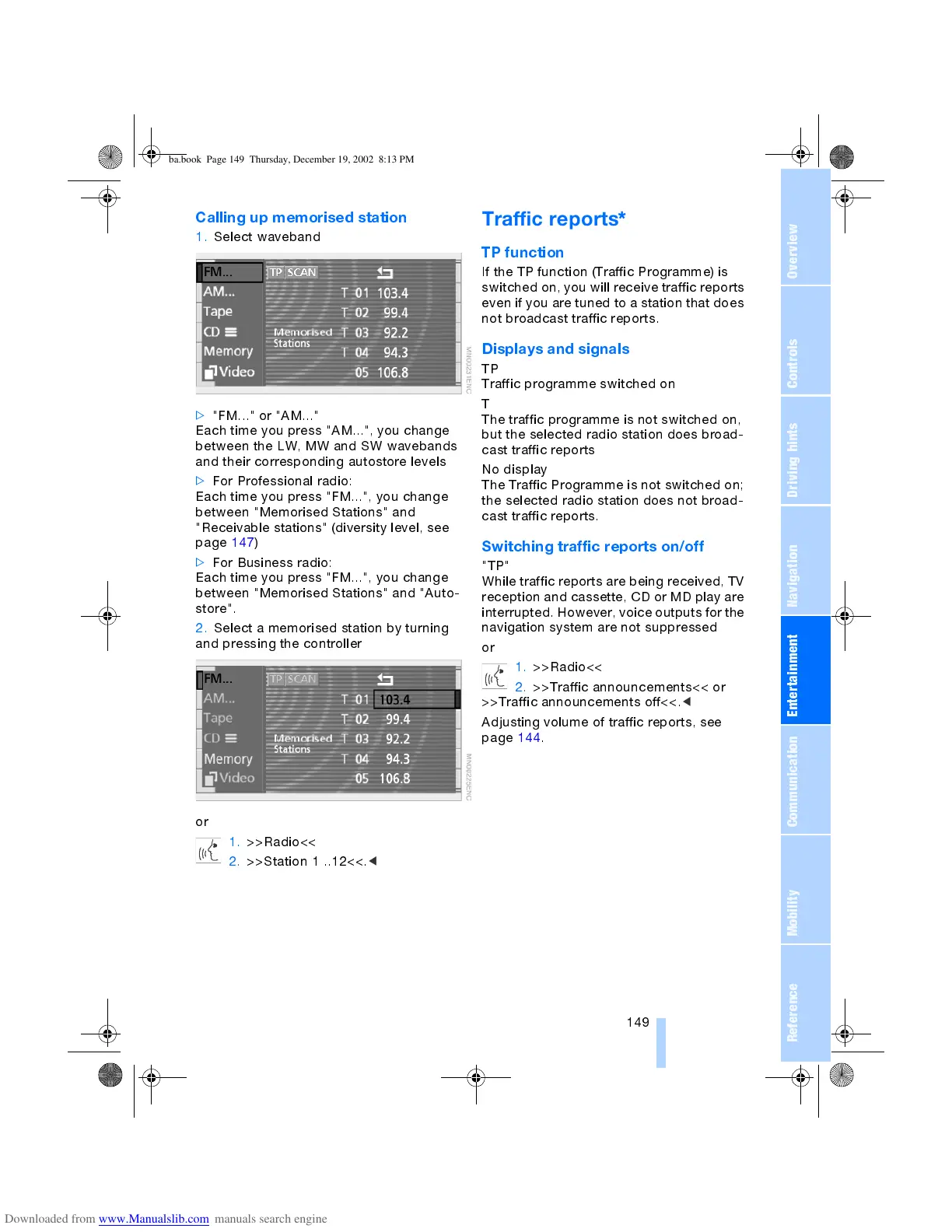
1. Select waveband
>
"FM..." or "AM..."
Each time you press "AM...", you change
between the LW, MW and SW wavebands
and their corresponding autostore levels
>
For Professional radio:
Each time you press "FM...", you change
between "Memorised Stations" and
"Receivable stations" (diversity level, see
page 147)
>
For Business radio:
Each time you press "FM...", you change
between "Memorised Stations" and "Auto-
store".
2. Select a memorised station by turning
and pressing the controller
or
1. >>Radio<<
2. >>Station 1 ..12<<.
<
Traffic reports
*
TP function
If the TP function (Traffic Programme) is
switched on, you will receive traffic reports
even if you are tuned to a station that does
not broadcast traffic reports.
Displays and signals
TP
Traffic programme switched on
T
The traffic programme is not switched on,
but the selected radio station does broad-
cast traffic reports
No display
The Traffic Programme is not switched on;
the selected radio station does not broad-
cast traffic reports.
Switching traffic reports on/off
"TP"
While traffic reports are being received, TV
reception and cassette, CD or MD play are
interrupted. However, voice outputs for the
navigation system are not suppressed
or
1. >>Radio<<
2. >>Traffic announcements<< or
>>Traffic announcements off<<.
<
Adjusting volume of traffic reports, see
page 144.
ba.book Page 149 Thursday, December 19, 2002 8:13 PM



 To Next Page