OverviewControlsDriving hintsCommunication NavigationEntertainmentMobilityReference
69
moved again, the car's speed decreases by
approx. 1 km/h (0.6 mph).
Hold the lever pulled:
The car slows down by automatic closing
of the throttle. As soon as you release the
lever, the speed the car has reached will be
maintained and memorised.
3 Interrupting cruise control
When the system is active, briefly press the
lever up or down. The reading
5
in the info
display is darkened. You can use the cruise
control again when required.
In addition, you interrupt the cruise control
function automatically:
>
When braking
>
When you engage position N (neutral) of
the automatic transmission
>
When the DSC cuts in.
4 Recalling a speed
Press button
4
briefly: the speed last
memorised is recalled and maintained
once it has been reached again.
Activating multi-stage function
Push
1
or pull
2
the lever beyond the pres-
sure point.
Your current speed is maintained and
memorised, and displayed as a program-
mable speed
5
and as a desired speed
6
.
If no speed markers are programmed,
with the multi-stage function active
you can increase or decrease the speed by
10 km/h (6 mph) by pushing or pulling the
lever beyond the pressure point.
<
Changing speed stage
Push
1
or pull
2
the lever beyond the pres-
sure point: the programmable speed
changes to the next desired speed. The
lowest desired speed setting is approx.
30 km/h (approx. 20 mph).
3 Interrupting cruise control
When the system is active, briefly press the
lever up or down.
Deactivating multi-stage function
The multi-stage function is deactivated
when the ignition is switched off.
Memorising desired speeds:
With the car at a standstill
Switch on the ignition.
Push
1
or pull
2
the lever beyond the pres-
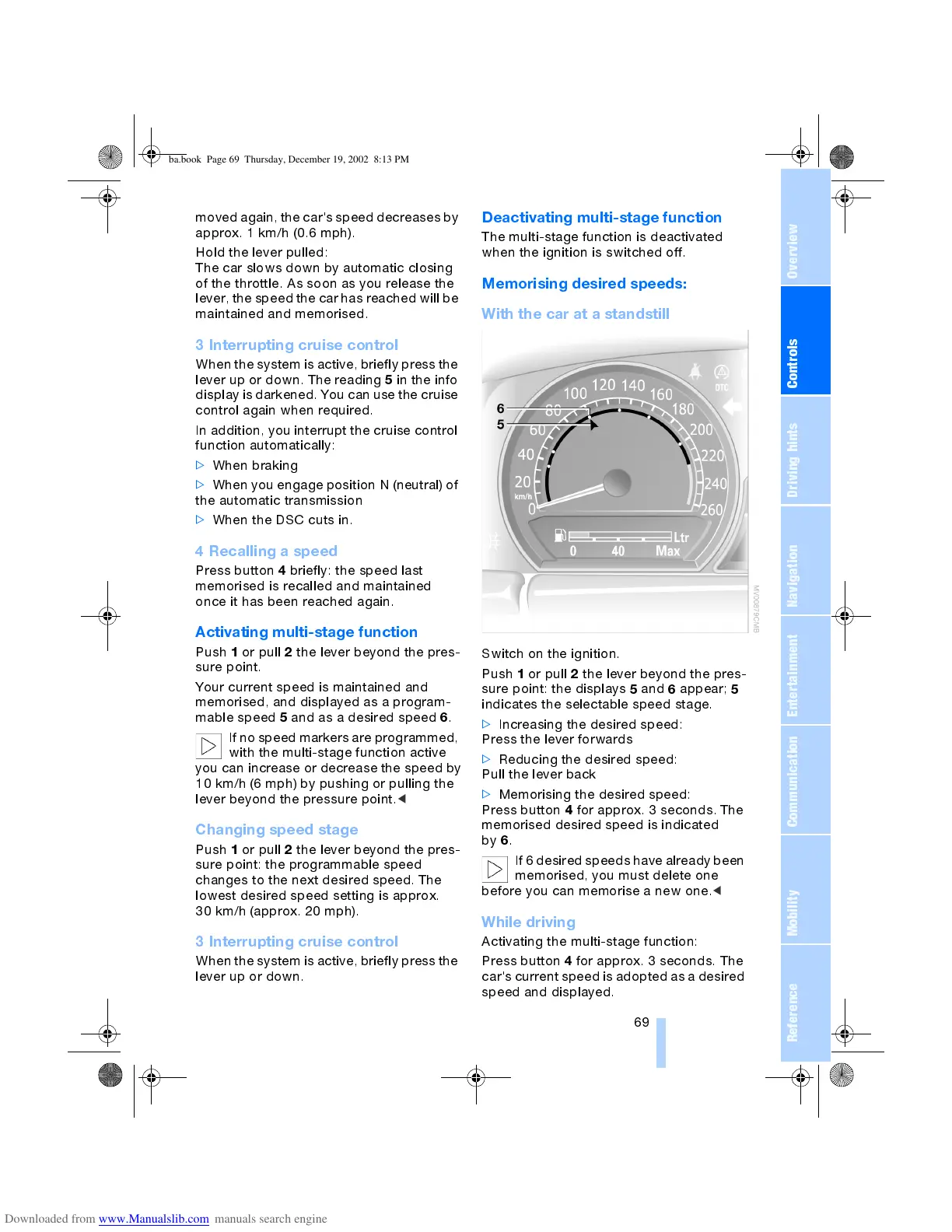
sure point: the displays
5
and
6
appear;
5
indicates the selectable speed stage.
>
Increasing the desired speed:
Press the lever forwards
>
Reducing the desired speed:
Pull the lever back
>
Memorising the desired speed:
Press button
4
for approx. 3 seconds. The
memorised desired speed is indicated
by
6
.
If 6 desired speeds have already been
memorised, you must delete one
before you can memorise a new one.
<
While driving
Activating the multi-stage function:
Press button
4
for approx. 3 seconds. The
car's current speed is adopted as a desired
speed and displayed.
ba.book Page 69 Thursday, December 19, 2002 8:13 PM



 To Next Page