OverviewControlsDriving hintsCommunication NavigationEntertainmentMobilityReference
163
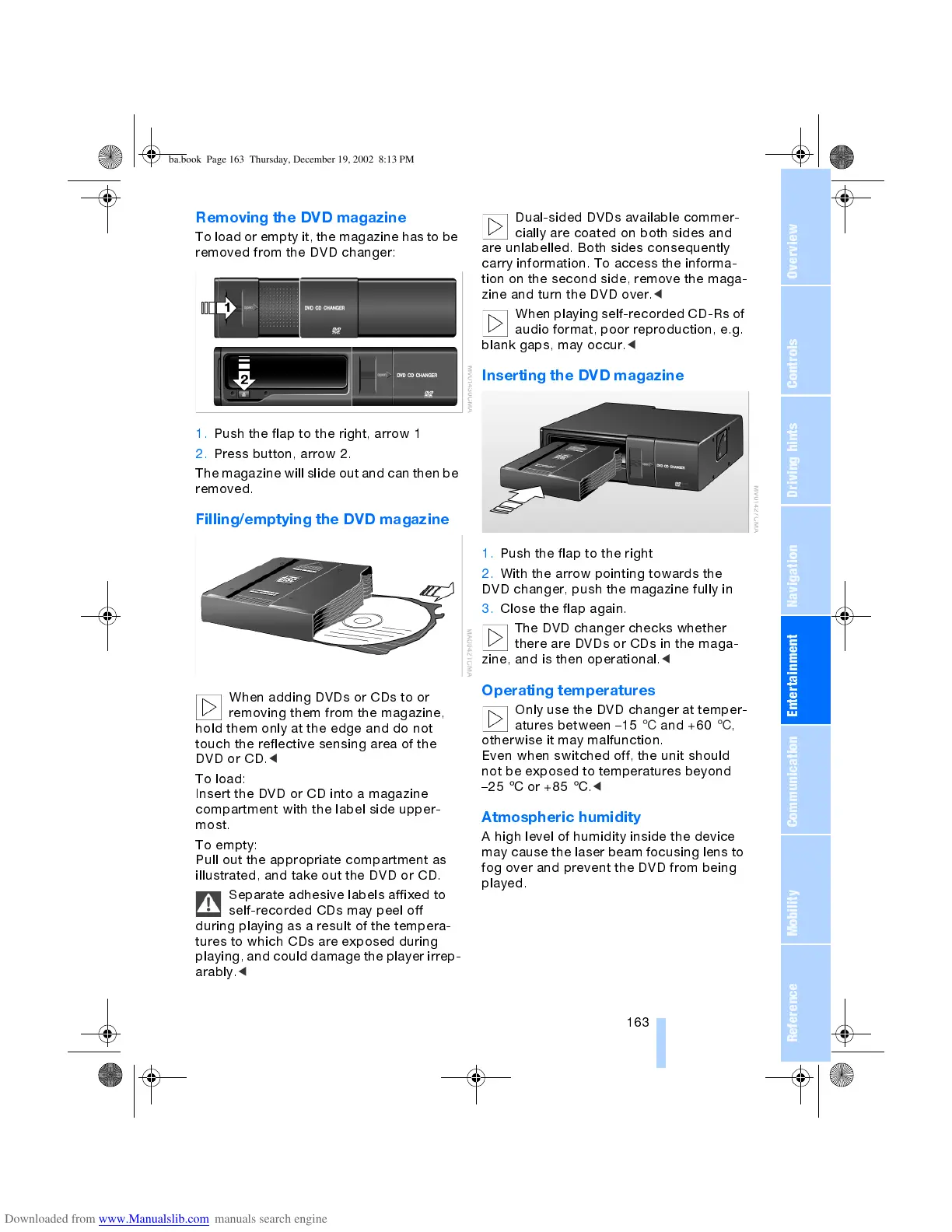
Removing the DVD magazine
To load or empty it, the magazine has to be
removed from the DVD changer:
1. Push the flap to the right, arrow 1
2. Press button, arrow 2.
The magazine will slide out and can then be
removed.
Filling/emptying the DVD magazine
When adding DVDs or CDs to or
removing them from the magazine,
hold them only at the edge and do not
touch the reflective sensing area of the
DVD or CD.
<
To load:
Insert the DVD or CD into a magazine
compartment with the label side upper-
most.
To empty:
Pull out the appropriate compartment as
illustrated, and take out the DVD or CD.
Separate adhesive labels affixed to
self-recorded CDs may peel off
during playing as a result of the tempera-
tures to which CDs are exposed during
playing, and could damage the player irrep-
arably.
<
Dual-sided DVDs available commer-
cially are coated on both sides and
are unlabelled. Both sides consequently
carry information. To access the informa-
tion on the second side, remove the maga-
zine and turn the DVD over.
<
When playing self-recorded CD-Rs of
audio format, poor reproduction, e.g.
blank gaps, may occur.
<
Inserting the DVD magazine
1. Push the flap to the right
2. With the arrow pointing towards the
DVD changer, push the magazine fully in
3. Close the flap again.
The DVD changer checks whether
there are DVDs or CDs in the maga-
zine, and is then operational.
<
Operating temperatures
Only use the DVD changer at temper-
atures between 15
6
and +60
6
,
otherwise it may malfunction.
Even when switched off, the unit should
not be exposed to temperatures beyond
25
6
or +85
6
.
<
Atmospheric humidity
A high level of humidity inside the device
may cause the laser beam focusing lens to
fog over and prevent the DVD from being
played.
ba.book Page 163 Thursday, December 19, 2002 8:13 PM



 To Next Page