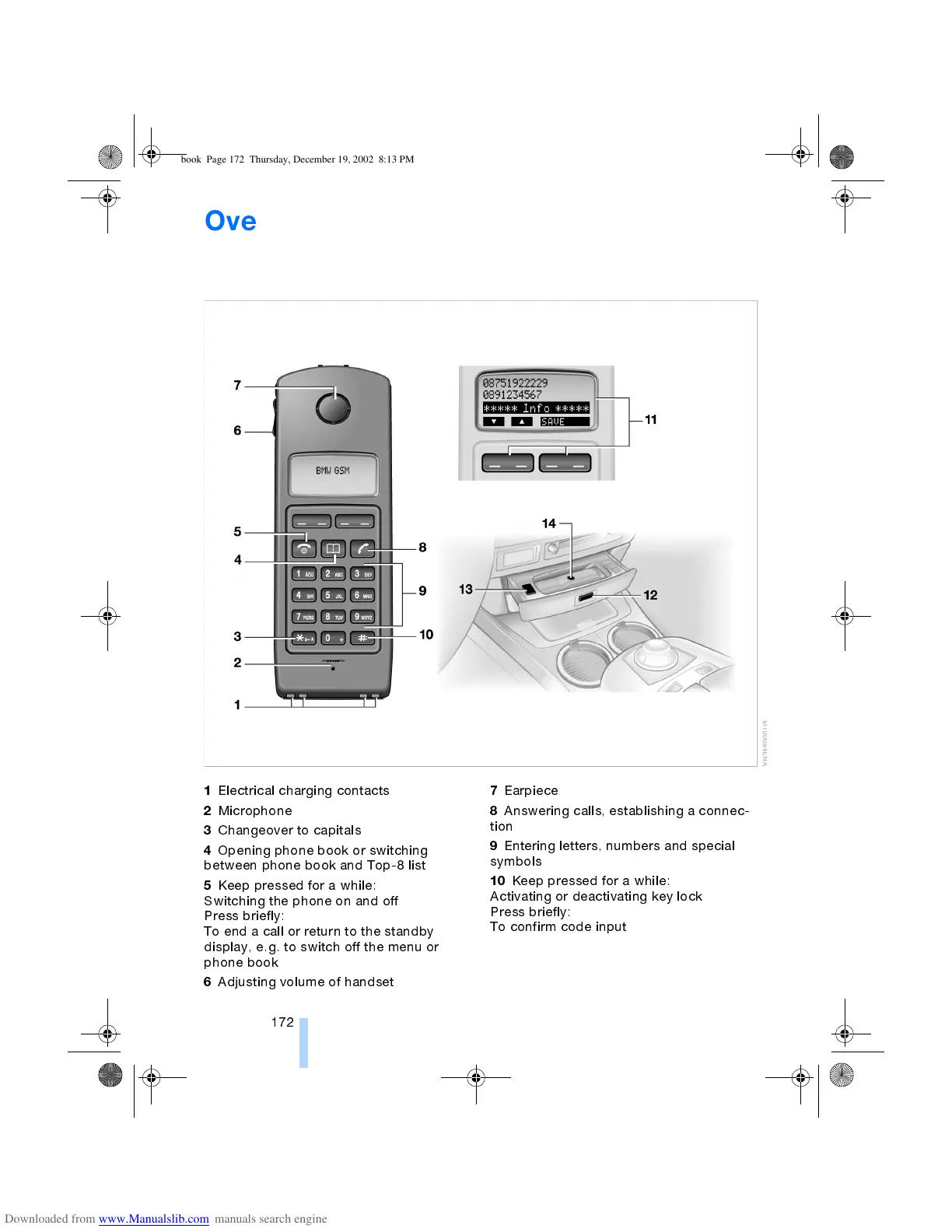
Overview of the telephone
172
Overview of the telephone
*
Handset
1
Electrical charging contacts
2
Microphone
3
Changeover to capitals
4
Opening phone book or switching
between phone book and Top-8 list
5
Keep pressed for a while:
Switching the phone on and off
Press briefly:
To end a call or return to the standby
display, e.g. to switch off the menu or
phone book
6
Adjusting volume of handset
7
Earpiece
8
Answering calls, establishing a connec-
tion
9
Entering letters, numbers and special
symbols
10
Keep pressed for a while:
Activating or deactivating key lock
Press briefly:
To confirm code input
ba.book Page 172 Thursday, December 19, 2002 8:13 PM



 To Next Page