OverviewControlsDriving hintsCommunication NavigationEntertainmentMobilityReference
173
11
Display controls:
The functions shown in the bottom line of
the display (softkeys) are activated via the
two keys below them.
Use the arrow symbols to scroll
downwards or upwards within a
menu.
If there are two different symbols above a
key, press the key on the left or right as
appropriate. If there is only one wide
display above a key, it is irrelevant where
the key is pressed.
Most menus contain an
***** Info *****
line. This shows you what features can be
adjusted or altered in that menu.
<
List of symbols, see page 250.
12
Opening the compartment
Press the button briefly: the compartment
opens automatically
13
Removing the handset
Press the button: the handset swings
upwards and can be removed to the front
14
Ringing-tone signal generator
In countries in which the radio
frequency of the handset is used e.g.
for military purposes, the use of this
frequency is prohibited. In such cases, you
must switch off the radio connection with
your handset. Further information is avail-
able from BMW Service.
<
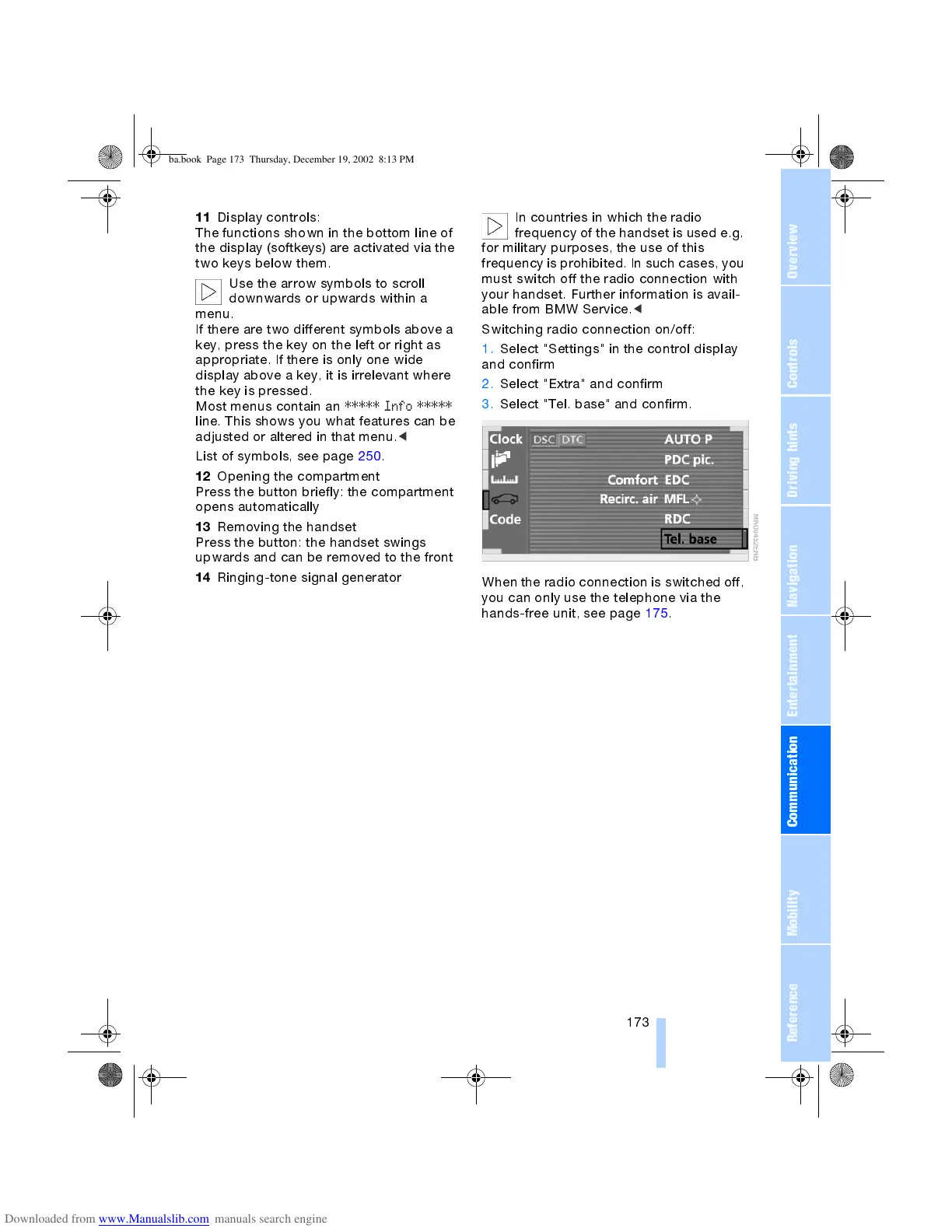
Switching radio connection on/off:
1. Select "Settings" in the control display
and confirm
2. Select "Extra" and confirm
3. Select "Tel. base" and confirm.
When the radio connection is switched off,
you can only use the telephone via the
hands-free unit, see page 175.
ba.book Page 173 Thursday, December 19, 2002 8:13 PM



 To Next Page