OverviewControlsDriving hintsCommunication NavigationEntertainmentMobilityReference
161
Adjusting picture*
The menu items can be called up
while a TV picture is visible by
pressing the controller.
<
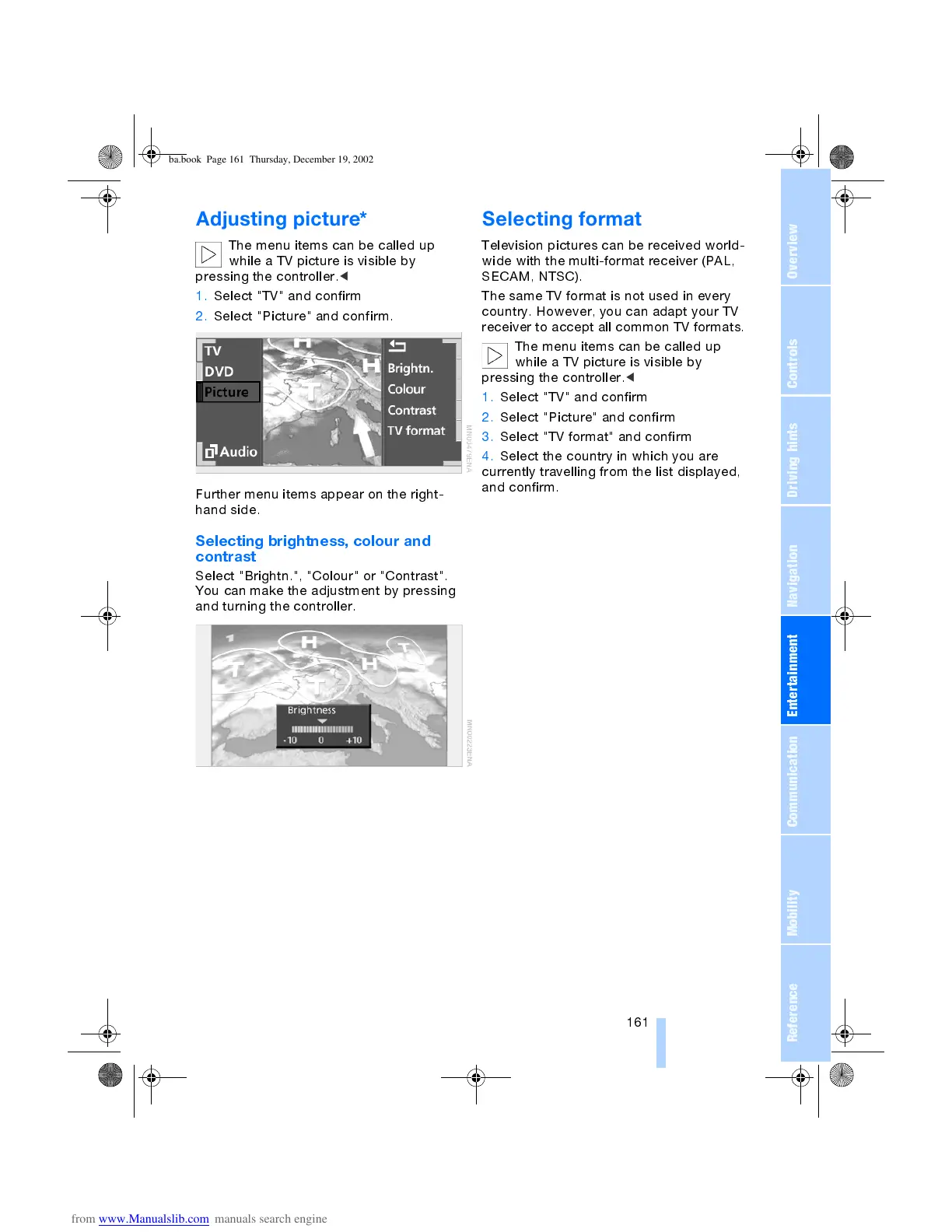
1. Select "TV" and confirm
2. Select "Picture" and confirm.
Further menu items appear on the right-
hand side.
Selecting brightness, colour and
contrast
Select "Brightn.", "Colour" or "Contrast".
You can make the adjustment by pressing
and turning the controller.
Selecting format
Television pictures can be received world-
wide with the multi-format receiver (PAL,
SECAM, NTSC).
The same TV format is not used in every
country. However, you can adapt your TV
receiver to accept all common TV formats.
The menu items can be called up
while a TV picture is visible by
pressing the controller.
<
1. Select "TV" and confirm
2. Select "Picture" and confirm
3. Select "TV format" and confirm
4. Select the country in which you are
currently travelling from the list displayed,
and confirm.
ba.book Page 161 Thursday, December 19, 2002 8:13 PM



 To Next Page