OverviewControlsDriving hintsCommunication NavigationEntertainmentMobilityReference
83
Setting and altering speed limit
1. Select "Limit" and confirm
2. Select "SET" and confirm
3. Turn controller on left/right to set the
desired speed
4. Press the controller to confirm the input.
The speed limit is switched on.
Switching off or on again
1. Select "Limit" and confirm
2. Select "ON/OFF" and confirm. When the
speed limit is switched on, "ON/OFF" is
marked.
Memorising actual speed as limit
value
1. Select "Limit" and confirm
2. Select and confirm. The actual
speed is memorised as the limit value.
Limit in the info display
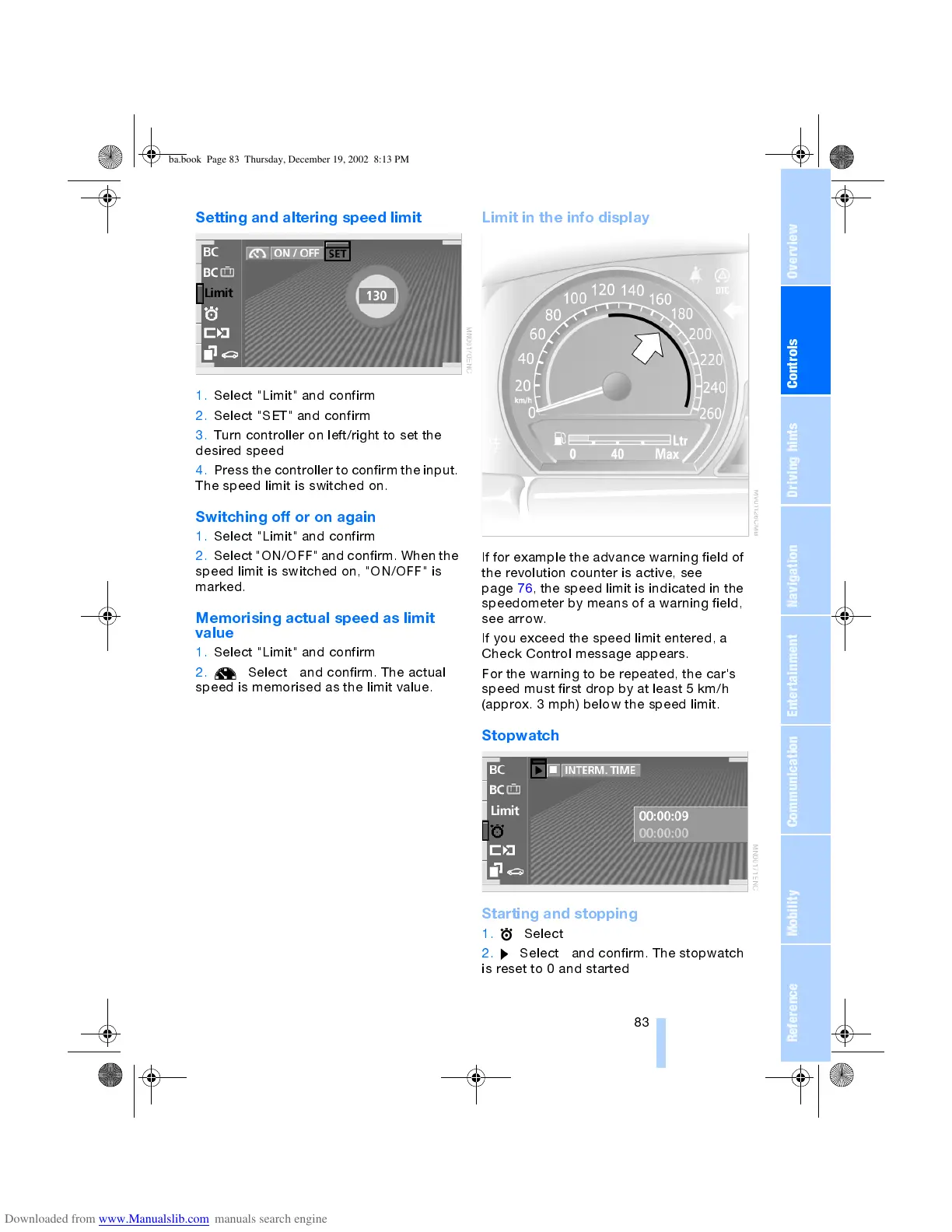
If for example the advance warning field of
the revolution counter is active, see
page 76, the speed limit is indicated in the
speedometer by means of a warning field,
see arrow.
If you exceed the speed limit entered, a
Check Control message appears.
For the warning to be repeated, the car's
speed must first drop by at least 5 km/h
(approx. 3 mph) below the speed limit.
Stopwatch
Starting and stopping
1. Select
2. Select and confirm. The stopwatch
is reset to 0 and started
ba.book Page 83 Thursday, December 19, 2002 8:13 PM



 To Next Page