BMW Assist
260
This option gives you access to an up-to-
date information service, for example for
the following categories:
>
Mobility:
Parking spaces Park & Ride hire car
>
News:
Headlines weather share prices
>
Service:
Hospital tourist information event loca-
tions exhibitions cash point
>
Accommodation
>
Food and drink.
"Last information"
You can display the answer to your last
query.
"New information"
Puts you in contact with a member of the
BMW Information Service. You can find out
the information you require by telephone
and ask for the relevant address. These are
shown in the control display and can be
adopted by the telephone or navigation
system, e.g. telephone number or address
of a hotel. Bookings can be made directly
by the BMW Information Service at many
hotels.
Status
Select "Status" and confirm.
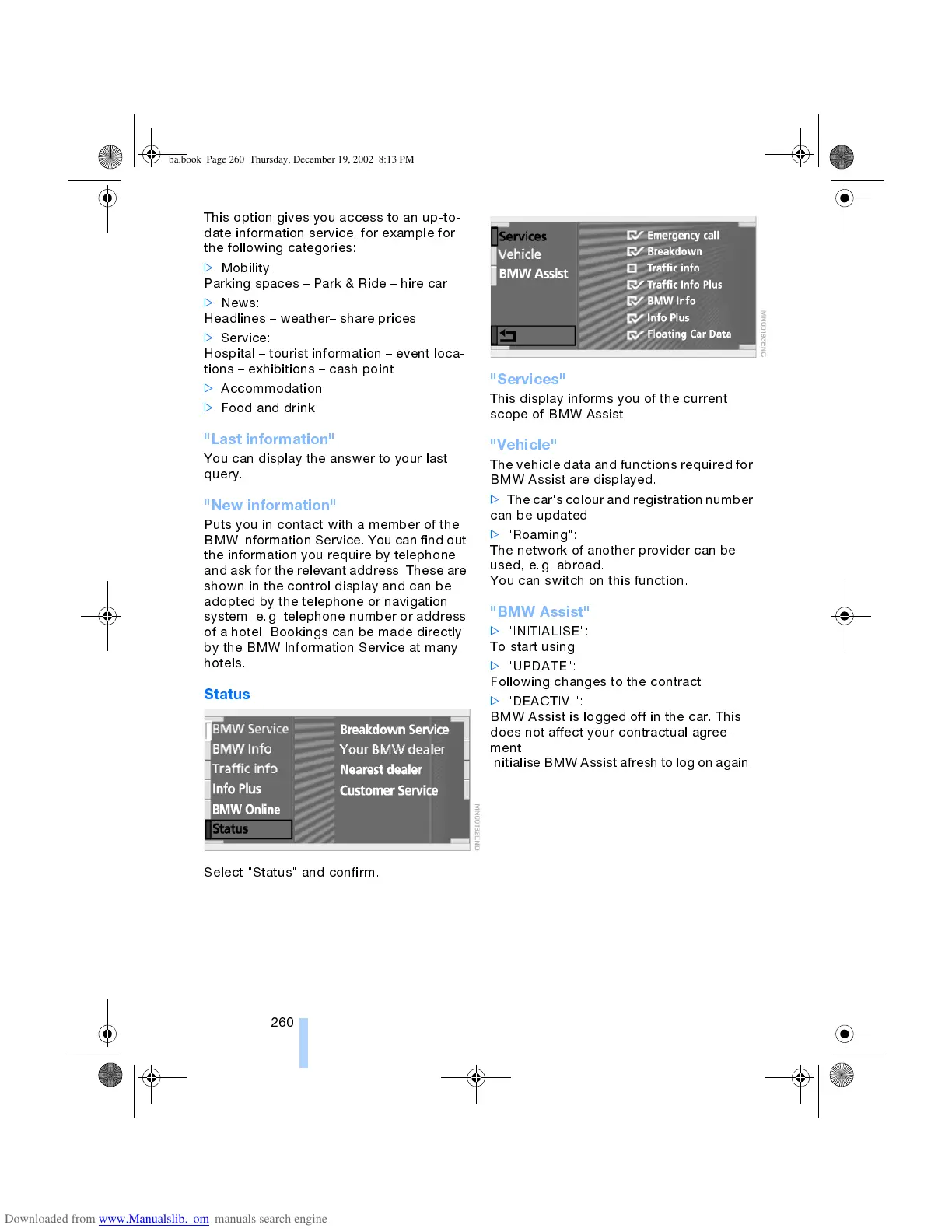
"Services"
This display informs you of the current
scope of BMW Assist.
"Vehicle"
The vehicle data and functions required for
BMW Assist are displayed.
>
The car's colour and registration number
can be updated
>
"Roaming":
The network of another provider can be
used, e.g. abroad.
You can switch on this function.
"BMW Assist"
>
"INITIALISE":
To start using
>
"UPDATE":
Following changes to the contract
>
"DEACTIV.":
BMW Assist is logged off in the car. This
does not affect your contractual agree-
ment.
Initialise BMW Assist afresh to log on again.
ba.book Page 260 Thursday, December 19, 2002 8:13 PM



 To Next Page