General operation
2
14
If the volume is changed
during the mute function,
the volume reduction is swit-
ched off.c
Adapting volume to the
speed
The audio system can auto-
matically adapt the playback
volume to the speed. To
achieve this, one of four pos-
sible adaptation curves must
be selected.
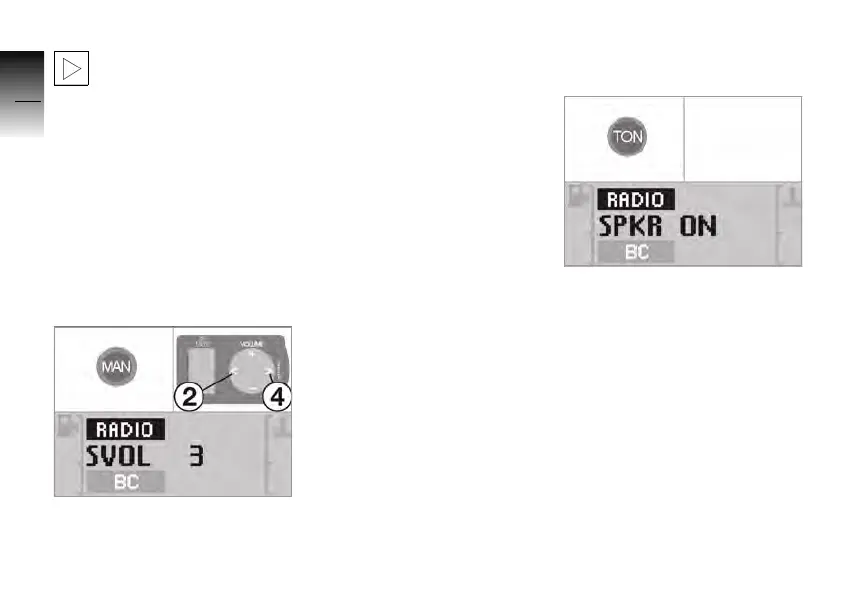
• Press the MAN button until
the display changes.
»
SVOL and the active curve
appear in the display.
• Press buttons 2 and 4 to set
the desired level.
»
SVOL OFF: Volume increase
disabled.
»
SVOL 1: Smallest increase.
»
SVOL 4: Highest increase.
After a period of time without
touching a button or after
pressing another button on the
operating unit, the set level is
adopted.
Tone settings
• Press the TON button repea-
tedly until the desired setting
is enabled.
» The following adjustments
can be made in the specified
order:
– Loudspeakers on/off
–Bass
–Treble
– Volume balance front/rear
(fader)
– Volume balance left/right
– Loudness on/off
10K26_RADIO_g1.book Seite 14 Dienstag, 15. Juni 2004 10:34 10



 To Next Page