3
21
Radio
Station search
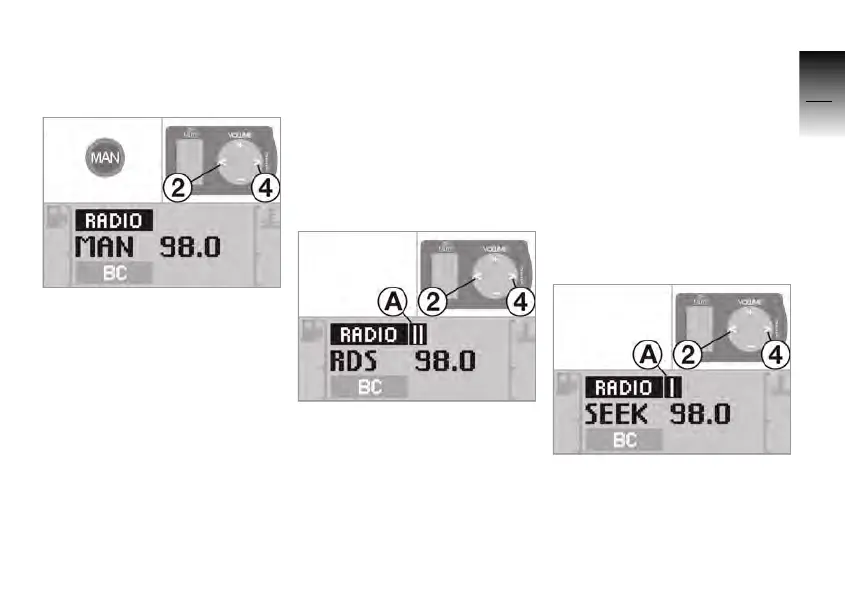
Manual station search
• Press the MAN button.
»
MAN and the current fre-
quency appear in the dis-
play.
• Press button 2 or 4.
» The current frequency is
raised or lowered while the
button is being pressed.
After a period of time without
touching a button or after
pressing another button on the
operating unit, the manual sta-
tion search is closed.
Automatic station search
FM waveband
• Press and hold button 2 or 4
until the display changes.
»
RDS or FM and the current fre-
quency appear in the dis-
play.
» The search sensitivity
II A
is displayed.
» The current frequency is
lowered or raised to the next
receivable station.
» The received station is dis-
played with its name or its
frequency.
• Press button 2 or 4.
» The next receivable station is
found.
AM waveband
• Press and hold button 2 or 4
until the display changes.
10K26_RADIO_g1.book Seite 21 Dienstag, 15. Juni 2004 10:34 10



 To Next Page