Radio
3
24
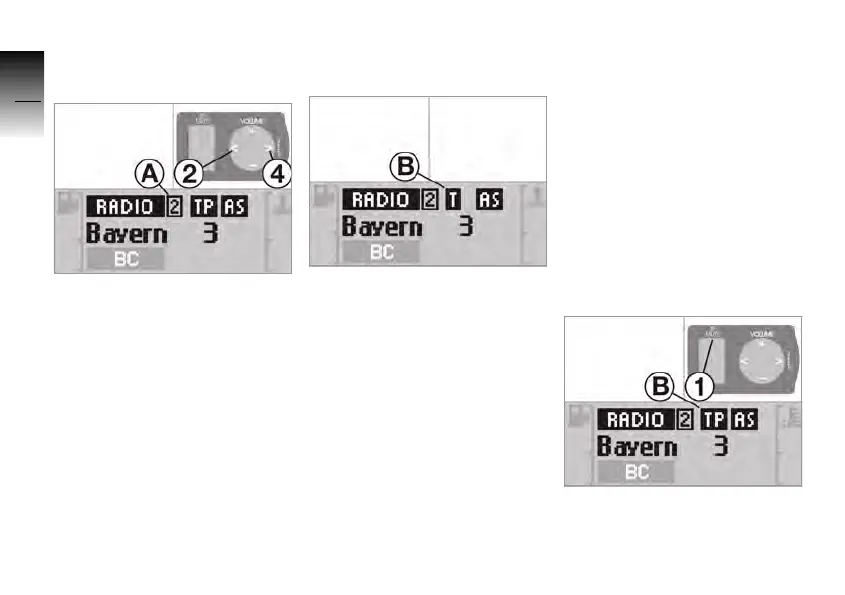
Calling up stored stations
• Set the waveband.
• Press button 2 or 4 to select
the desired the memory
slot A.
Traffic information
If a station in the FM waveband
broadcasts traffic reports, this
is stored in the RDS informa-
tion (
b 19) . The symbol T B
appears in the display. This is
the only way the traffic infor-
mation function can be enab-
led.
Traffic information
function
If the traffic information func-
tion is enabled, every other
operating mode is interrupted
for the duration of traffic
reports.
The traffic information function
can only be enabled if RDS is
enabled.
• Switch on RDS (
b 19).
• Press 1 until the display
changes.
10K26_RADIO_g1.book Seite 24 Dienstag, 15. Juni 2004 10:34 10



 To Next Page