3
23
Radio
Station memory
Station memory
The following number of
memory slots are available:
–FM: 6
–FM autostore: 6
–MW: 6
–LW: 6
–SW: 6
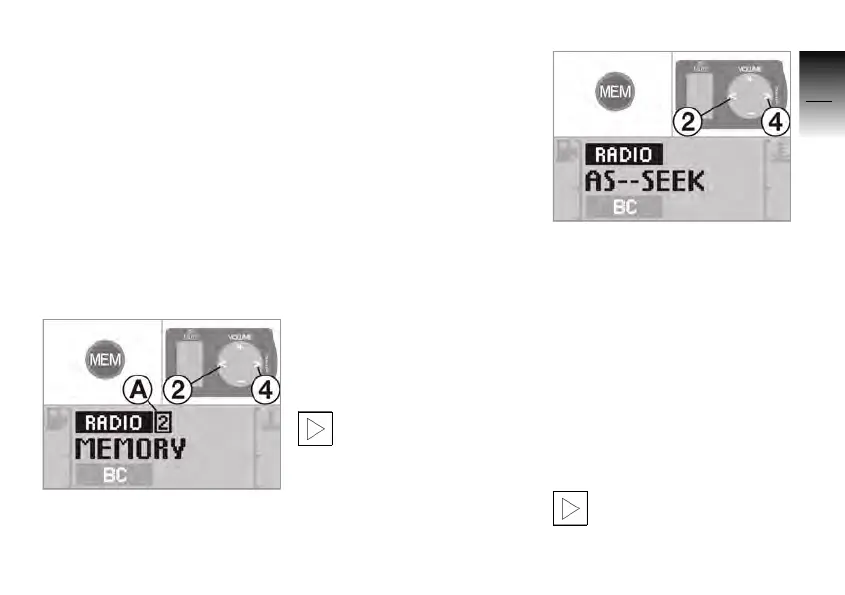
Storing stations manually
• Set the station.
• Press the MEM button.
» MEMORY flashes in the
display.
• Press button 2 or 4 to select
the memory slot A.
» The current assignment of
the memory slot appears in
the display.
• Press the MEM button.
» The station is stored on the
set memory slot.
After a period of time without
touching a button or after
pressing another button on the
operating unit, the storage
function is closed.
Storing stations
automatically
In the FM waveband, au-
tomatic storage is not
possible.c
• Set the waveband.
• Press the MEM button until
the display changes.
»
AS-SEEK appears in the
display.
» The six stations with the best
reception are stored auto-
matically.
» The station is placed on
memory slot 1.
If no receivable station is
found,
NO STATION appears
briefly in the display.
Any occupied memory
slots are overwritten by
the automatic storage.c
10K26_RADIO_g1.book Seite 23 Dienstag, 15. Juni 2004 10:34 10



 To Next Page