General operation
2
16
Volume balance front/
rear
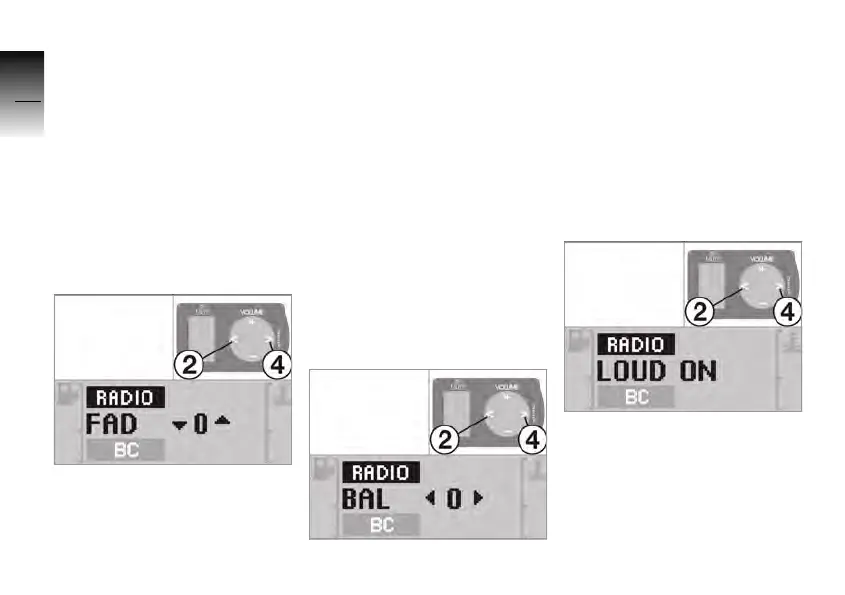
You can use the fader function
to set the volume balance bet-
ween the front and rear
loudspeakers in 21 levels.
– Shift balance towards the
front: 1 .. 10
– Base setting: 0
– Shift balance towards the
rear: 1 .. 10
• Press buttons 2 and 4 to set
the fader.
»
FAD, the direction of the
change, and the selected
level appear in the display.
Volume balance left/right
You can use the balance func-
tion to set the volume balance
between the left-hand and
right-hand loudspeakers in
21 levels.
– Shift balance towards the
left: 1 .. 10
– Base setting: 0
– Shift balance towards the
right: 1 .. 10
• Press buttons 2 and 4 to set
the balance.
»
BAL, the direction of the
change, and the selected
level appear in the display.
Loudness
You can use this function to
change the sound curve.
• Press buttons 2 and 4 to
enable or disable loudness.
»
LOUD ON: loudness switched
on.
»
LOUD OFF: loudness swit-
ched off.
10K26_RADIO_g1.book Seite 16 Dienstag, 15. Juni 2004 10:34 10



 To Next Page