function.
Save Key Info: After get key info success, please save key info
Load Key Info: Load the previously saved key information
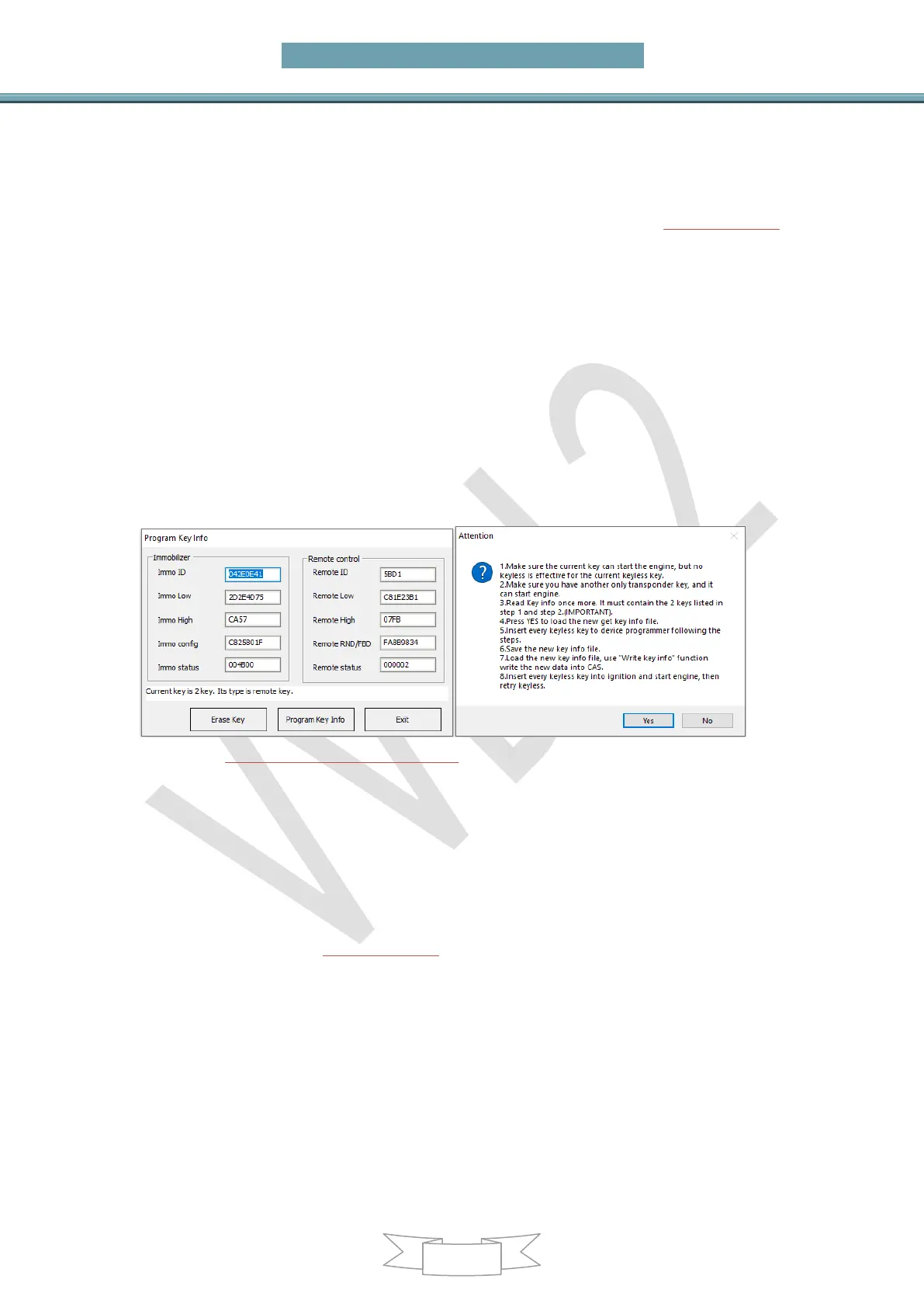
Erase/Program Key Information: After read key info or load key info, select a
specify key that you want to program, the specific info interface like (PICTURE 6.1-2).
Attention: Select the corresponding key type, choose wrong type between
smart and non-smart will cause the car to not start
Specific steps:
Method 1(recommend)
Click“Erase Key”, follow the prompts, be sure to select the
corresponding key type
Method 2
Key info of Immo ID,all change to FFFFFFFF
Configure Immo status, smart key change to:F07608,non-smart
key change to:007608
Click“Program Key Info”, you can use this key position to match
after complete
(PICTURE 6.1-2)(PICTURE 6.1-3)
View all key detailed information : View detailed information of all keys
Prepare dealer key with programmer: After get key info success, select a key
position, prepare dealer key with VVDI2 programmer
Prepare dealer key with ignition switch: After read key info success, select a key
position, prepare dealer key with ignition switch
Repair Keyless Key: After add smart key success, if the smart key doesn’t have
smart function about open door and start car, you can try this function to fix it. Detail
operation can follow (PICTURE 6.1-3). Attention: You must have a non-smart key that
can start car
Enable Key: The function is use to enable the key that disabled before. You need a
key that could start the car before run this function. Specific operation: First insert a
key that can start the car, turn on the ignition switch and light up the dashboard, then
read the disabled key position and select one that you want to enable, click on enable
key. After enabled, the key at this position will work again. Note: Only enable key
does not require get key info.
Disable Key: The function is use to disable key when working key lost. In other words,
this function can invalidate a work key which one you want. You need a key that could


 To Next Page