start the car before run this function. Specific operation: First insert a key that can
start the car and light up the dashboard, then select a work key position that you want
to disable and click on disable key. Note: The key that needs to be disabled
cannot be the same as the key inserted into the ignition switch. After disabled,
the key at this position will not be able to start the car, and add key at this
position will not start the car either. Only disable key does not require get key
info.
6.2. OBD-CAS/CAS4+ F-Series Function
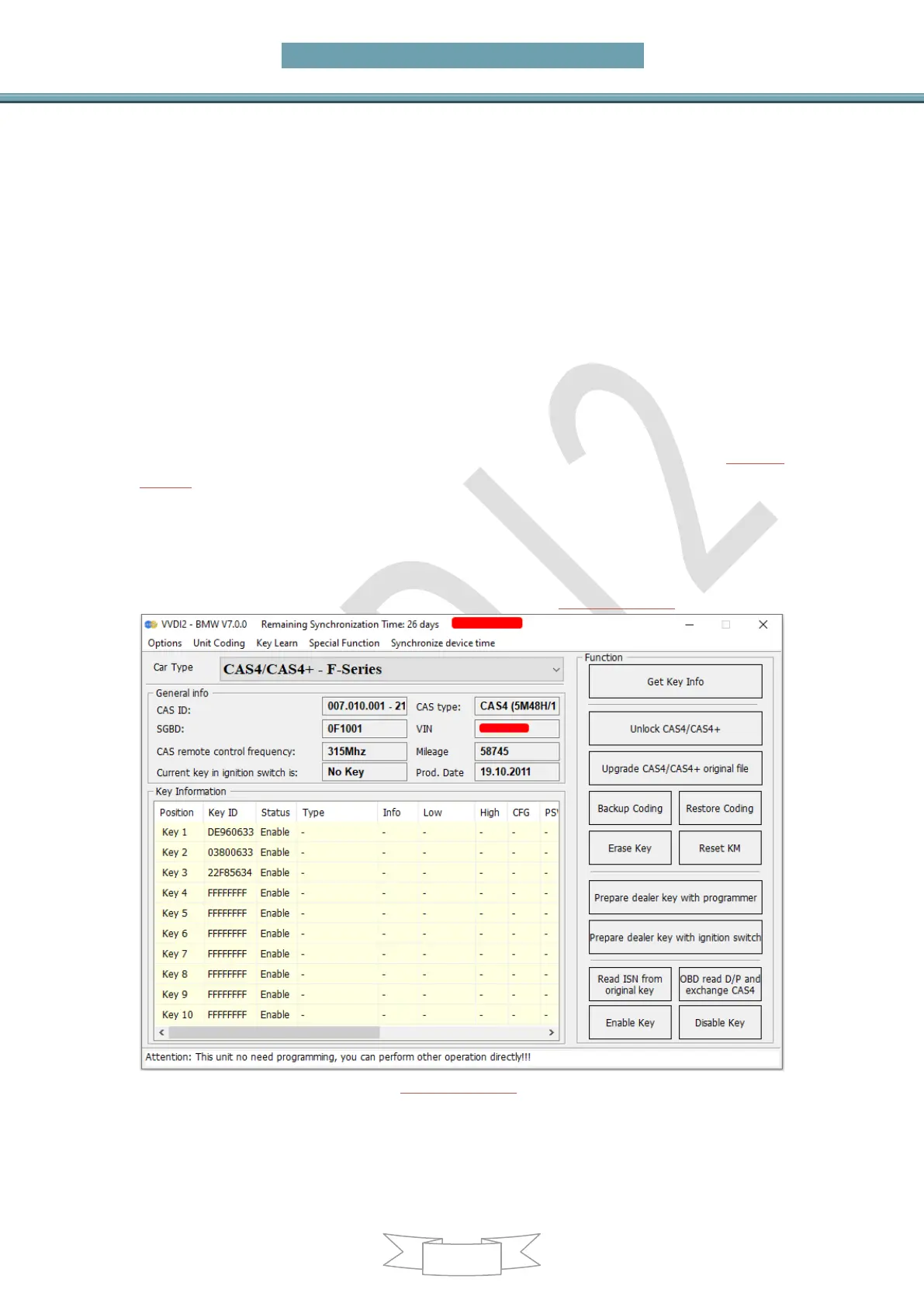
Main menu interface ->>Key learn ->>>CAS key learn, see the learn interface (PICTURE
6.2-1)
Function introduction:
After get the key information, follow the prompts to determine whether unlock
CAS4/CAS4+ is required. If unlock is not required, you can directly prepare the dealer key.
CAS4 has encrypted version and unencrypted version. All key lost of encrypted version,
you need to remove ECU to read ISN for prepare new key(PICTURE 6.2-1)
(PICTURE 6.2-1)
Get Key Info: OBD read the key cutting code, CAS remote control frequency, remote
control data, CAS type, CAS ID, and a part of code information, etc. You must use
this function before prepare key by OBD. Follow the steps if system prompts need to
unlock CAS (If system prompts not need to unlock CAS, you can directly select the



 To Next Page