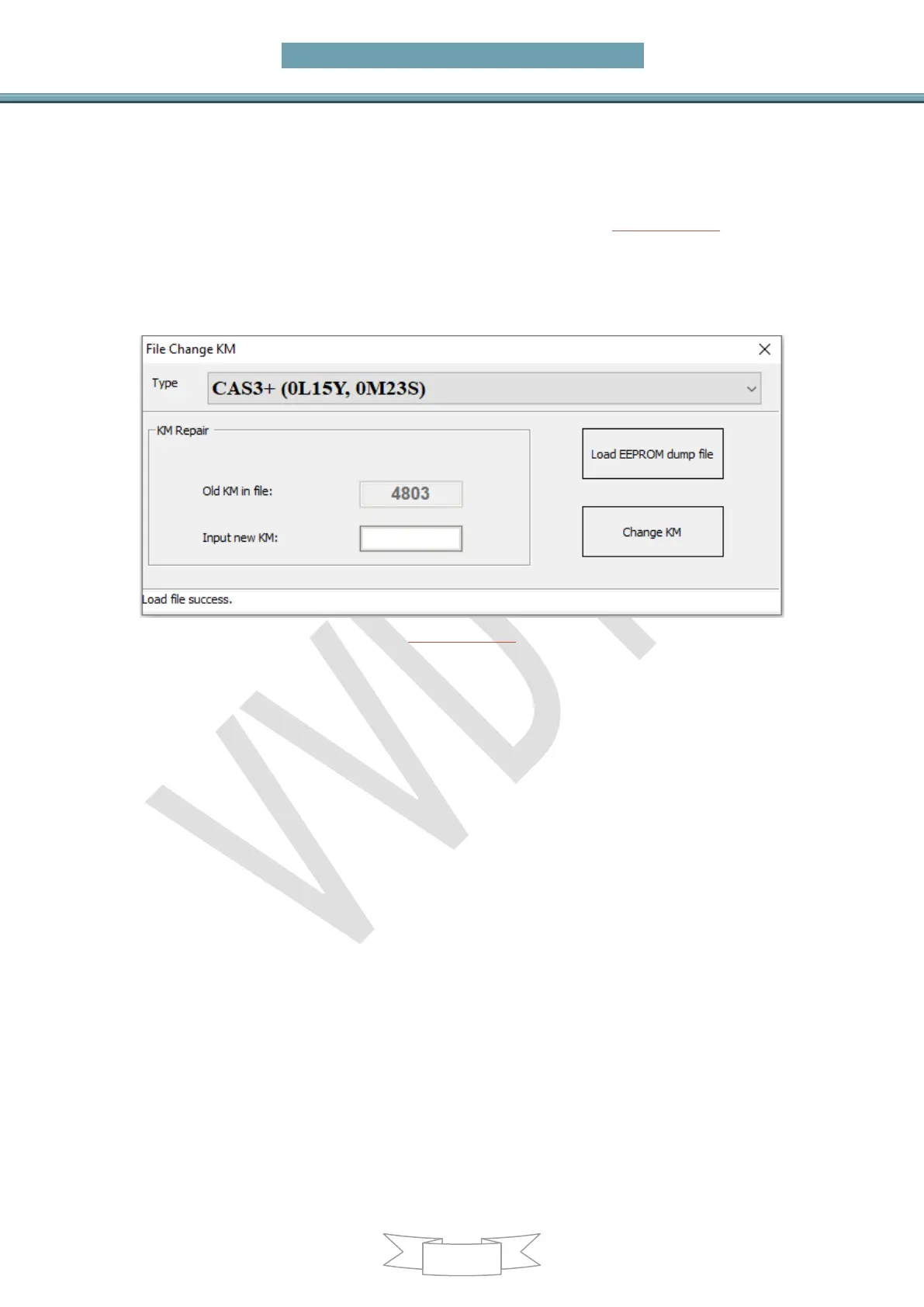
10. File Change KM
Main menu interface->>>Special functions->>>File repair KM (PICTURE 10.1)
Support type:EWS1,EWS2,EWS3, EWS4, CAS1(0K50E), CAS2(2K79K),
CAS3(0L01Y), CAS3+(0L01Y,0M23S), CAS4(0L15Y), CAS4(5M48H)
Change KM for EWS/CAS: Load EEPROM dump, input new KM value, press button
Change KM and save new EEPROM dump then write back it to EEPROM
(PICTURE 10.1)
CAS1/CAS2/CAS3/CAS3+ /CAS3+ ISTAP change KM steps:
1) Record the KM information displayed in instrument, take instrument away from car
avoid synchronize KM with CAS automatically
2) Set CAS KM to 0(you can do this via OBD or EEPROM dump, select correct CAS
version)
3) Read instrument EEPROM dump by programmer then save EEPROM dump you read,
usually it use M35080 chip
4) Select File Change KM ->M35080 (Instrument) and load EEPROM dump saved in
step 3
Attention: this type have 2 algorithm for KM, Algorithm 1 and Algorithm 2,you need
try different algorithm to check the Old KM in file value, which one is nearby the KM
(write in step 1)), which is the right type. Change new KM with the right type
5) Input new KM
6) Press button “Change KM” and save new EEPROM dump
7) Write new EEPROM dump to M35080 chip
8) Put your instrument in car
9) Finished
F-Series(CAS4 system) change KM steps:
1) Record the KM shown in instrument, take instrument away from car, avoid
synchronize KM with CAS
2) Set CAS KM to 0km (Change KM with File Change KM, select type with chip mask,


 To Next Page