1) Take the blank key out of the VVDI2-BMW programmer and put the work key in
2) Click NEXT, VVDI2-BMW will try to read the ISN from the work key
3) After the reading success, following the prompts and take the work key out of the
VVDI2-BMW programmer, then put in the blank key
4) Continue to prepare dealer key complete
All key lost: (Only the 5M48H encrypted version have all key lost) When the
prompt (PICTURE7.1-3) appears:
1) If there is ECU EEPROM dump, load it directly and click next
2) If known ISN, enter 16-byte (32-bit) ISN and click next
3) If there is no ECU EEPROM dump and ISN, not support temporarily
The prepare dealer key process will takes about 30 seconds and the interface
may freeze during the process, please wait patiently for completion. It won’t
save new EEPROM dump and no data need to be write back. After prepare
dealer key complete, you only need to paste the new key to the coil of the car
and trying to start, sometimes you may need to try several times. If the key
can’t recognized by the car all the time, please enter the key learning and
confirm whether the key position is disabled, if it is disabled, enable the key
position and learn it later.
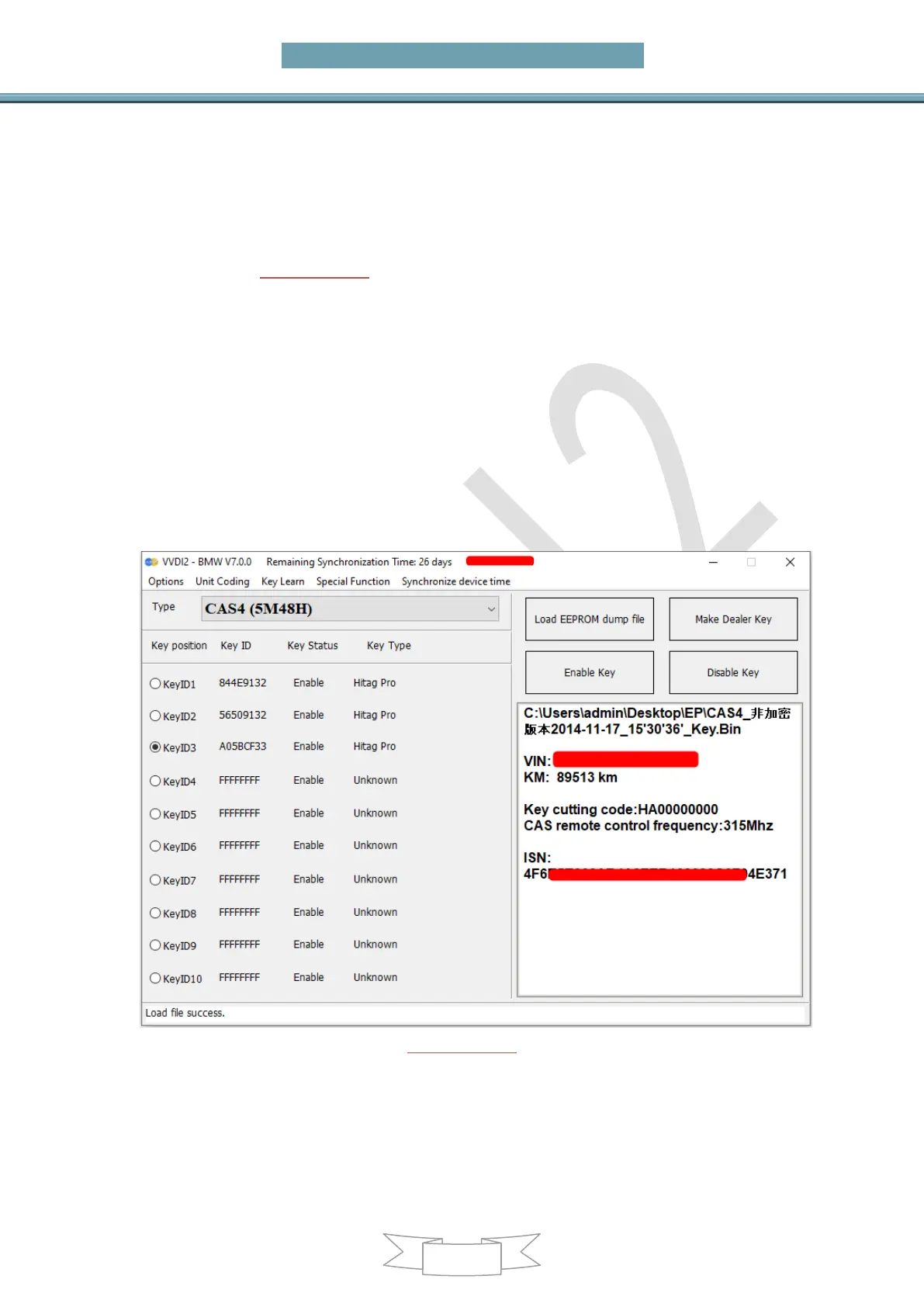
(PICTURE7.4-1)


 To Next Page