28
SoundExpression
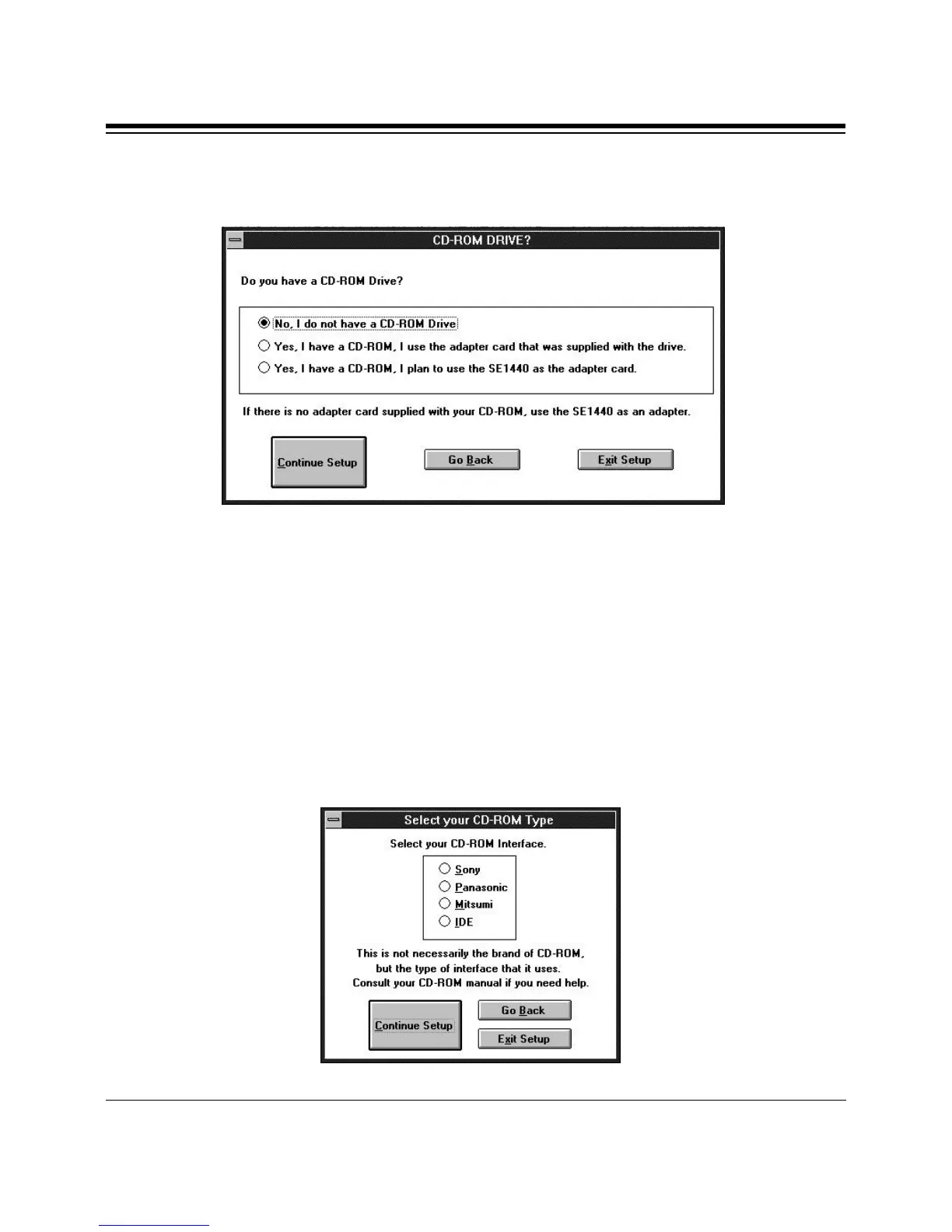
4. Next, you are asked if you have a CD-ROM drive.
If you select “No, I do not have a CD-ROM drive”, continue with step 8.
If you select “I have a CD-ROM drive and I am using the adapter
supplied with the drive”, continue with step 8. This means you will
NOT use the CD-ROM interface on the SE1440.
If you select, “Yes, I have a CD-ROM, I plan to use the SE1440 as an
adapter card”, the “Select your CD-ROM Type” dialog box is displayed
as shown here. This means you WILL use the CD-ROM interface on the
SE1440.



 To Next Page