BLT441 Product Manual
18
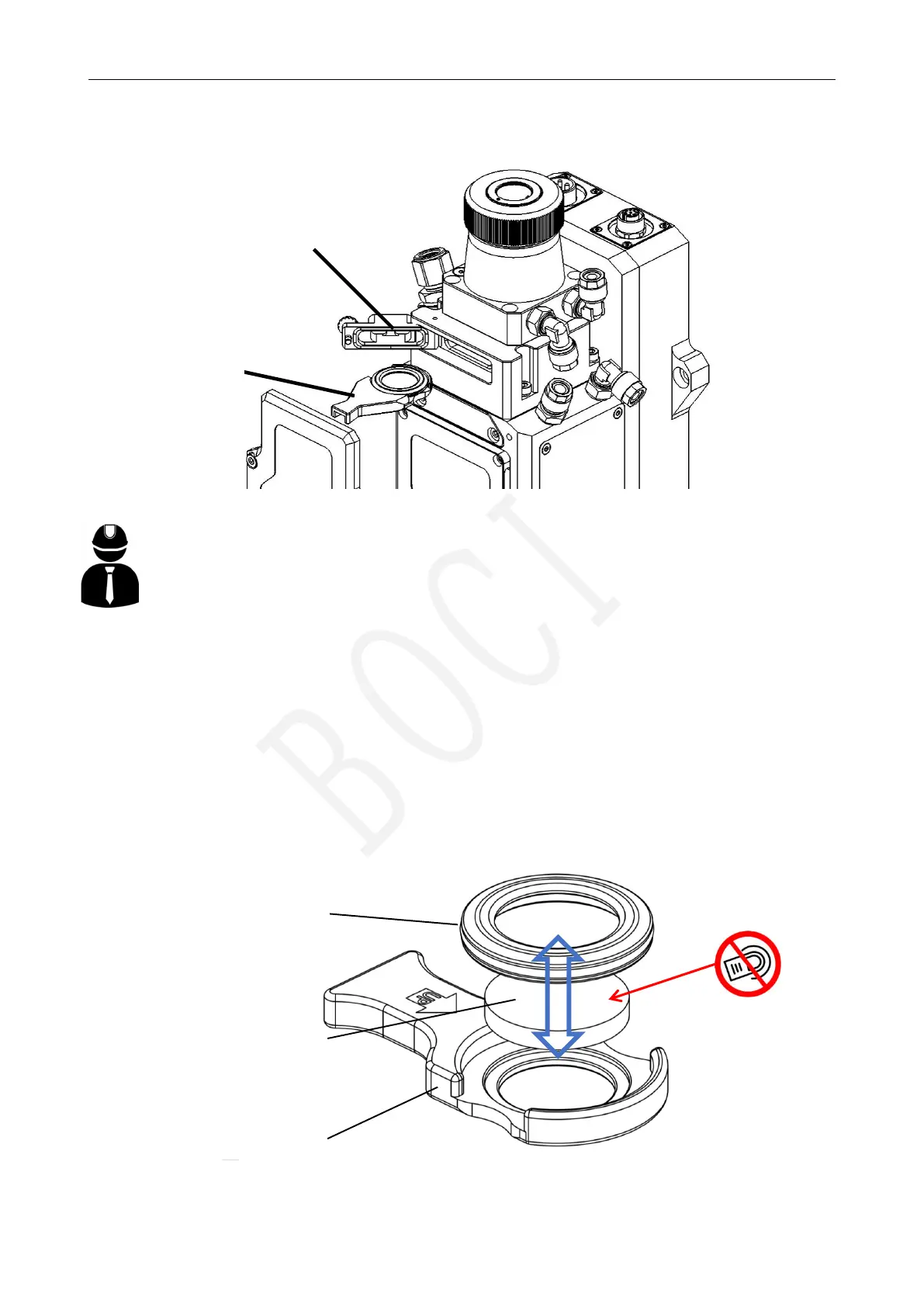
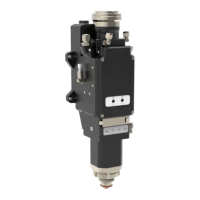
1.2 Replace the upper protective lens
upper protective
Upper protective
mirror base
Pressing ring
1. Open the protective door of the 1
st
upper protective lens;
2. Pull out the upper protective mirror drawer;
3. Close the protective mirror drawer door to prevent dust from entering;
4. Remove the pressure ring on the protective lens;
5. Replace the protective lens;
6. Open the upper protective mirror drawer protective door;
7. Insert the upper protective mirror drawer with lens into the cutting head.
No
pressing!
1
st
Upper protective
lens base
1
st
Upper protective lens
protective door



 To Next Page