17
3. Equipment configuration
3.1 Connections and network settings
To congure the BOXPRO and set the protocols, it is necessary to connect a PC to the BOXPRO in
Ethernet via any RJ45 socket available on the interface box.
To communicate with each other, the BOXPRO and the PC must be on the same
network. In most cases, it is necessary to set the PC network’s card and change
its IP address so that it is xed and in the same network as the BOXPRO.
Please refer to the Microsoft support site to change the IP address of your PC.
3.2 Access to the configuration site
To access the BOXPRO conguration pages:
Open a web browser,
Enter «https://IP address of the BOXPRO interface» in the browser search bar.
Click on “Advanced” then on “Continue to localhost (unsafe)” when the browser security page
appears to access the interface conguration site.
This procedure implies knowing the IP address of the BOXPRO.
To obtain it, refer to chapter 4.1 Retrieving network settings.
By default, the IP address of the BOXPRO is 192.168.0.200.
3.3 Configuration site
The conguration site allows setting up the BOXPRO as well as the used protocols.
3.3.1 Home page
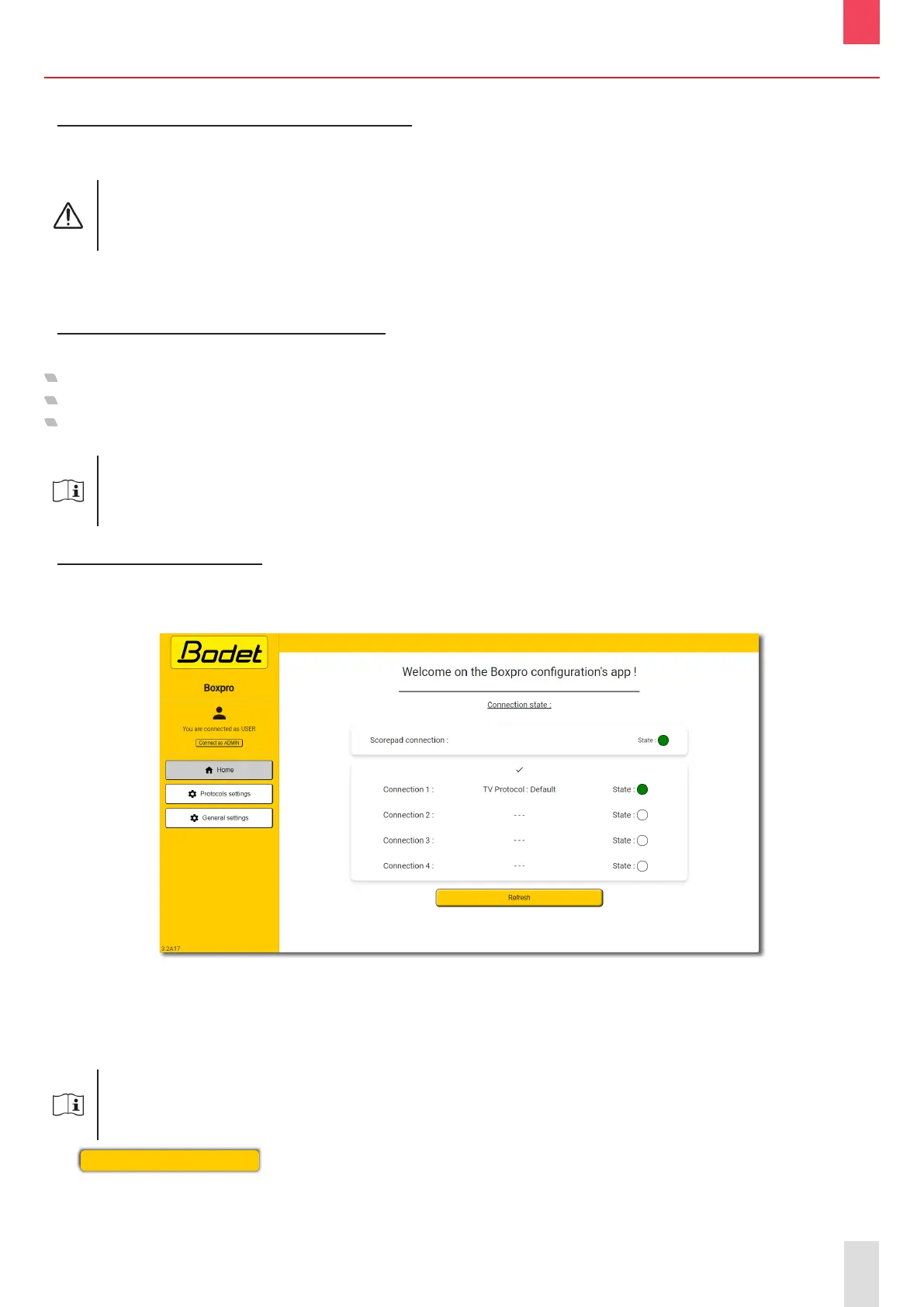
The Home page of the conguration site provides an overview of the current status of the BOXPRO.
Below is a description of the information displayed:
- The communication status with the SCOREPAD keyboard,
- The list of the activated protocols as well as their respective communication status.
There is no link between the displayed connection numbers (connection 1, 2...)
and the 4 physical RJ45 output ports of the BOXPRO.
Each activated protocol is broadcast and available on the 4 RJ45 output ports.
The
Refresh
button is used to update the information following a change in the
conguration.
EN


 To Next Page